Work as a team, and build on Swarm.
Invite teammates with the role they need, protect every account with passkeys, see who did what in an audit log, and connect your own code through a public API, signed webhooks, an MCP server and a WordPress plugin.
-
Step 1
Invite teammates with the role they need
A fresh install is invite-only: only you and the people you invite can sign in. Invite a teammate by email under Settings, Team, and choose their role. Change it later, or remove them: removing a teammate also revokes the API keys they created and the apps they installed.
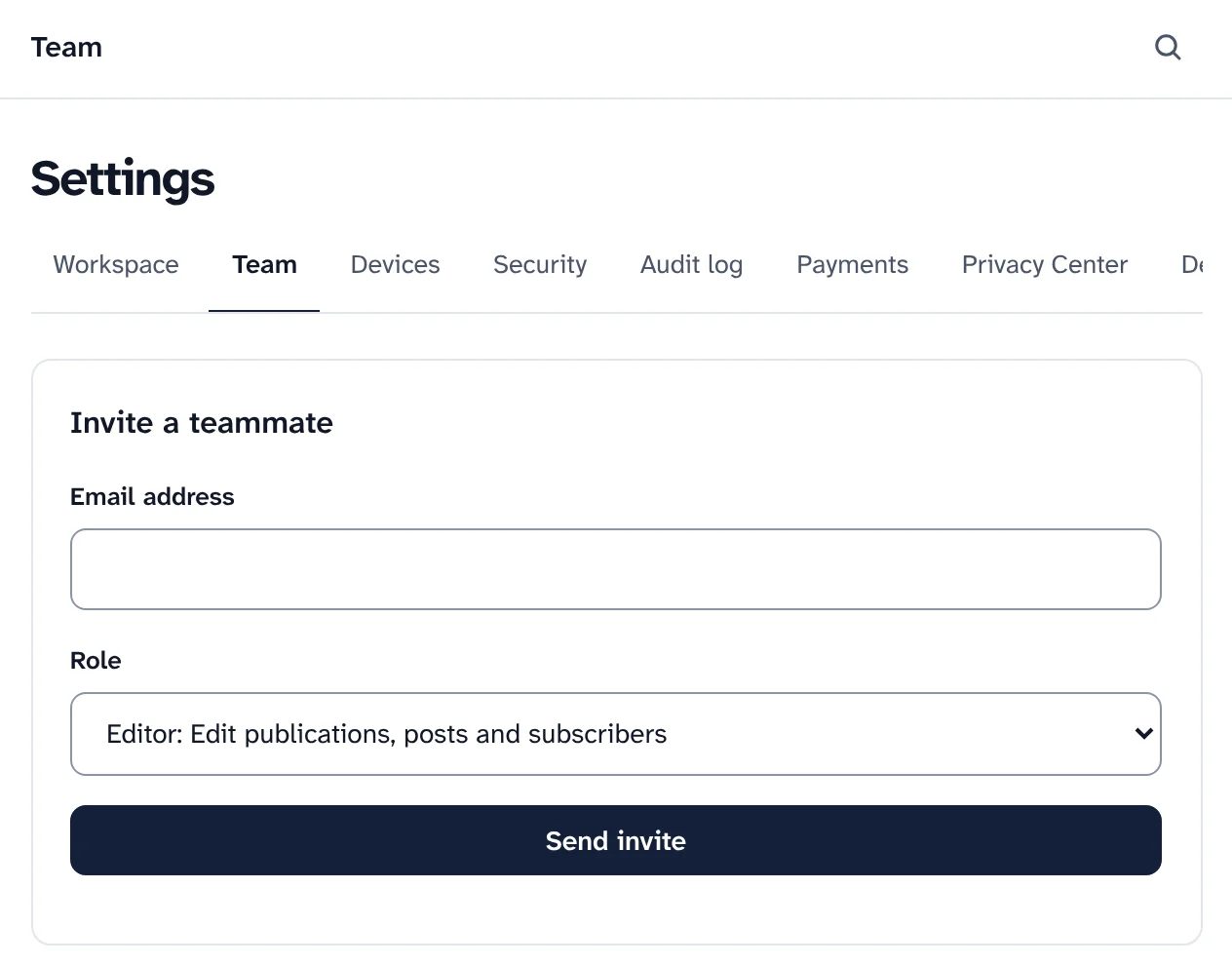
Inviting a teammate with a role. Roles in a workspace Role What they can do Viewer Read only Author Write draft posts and upload media Editor Edit publications, posts and subscribers Admin Team, publications and settings Owner Everything, including ownership -
Step 2
Sign in with a link, then a passkey
There are no passwords. Teammates sign in with a link sent to their email address, or with Google if you turn it on. Owners and admins must add a second factor within 14 days, and a workspace owner can require one of everyone.
- Passkeys with a fingerprint, face or device PIN, which can't be phished, or an authenticator app, with ten recovery codes shown once.
- A new device gets an email: a sign-in from a browser and network not seen in 90 days tells the teammate.
- Devices shows where each person is signed in, and signs a device out, or every device.
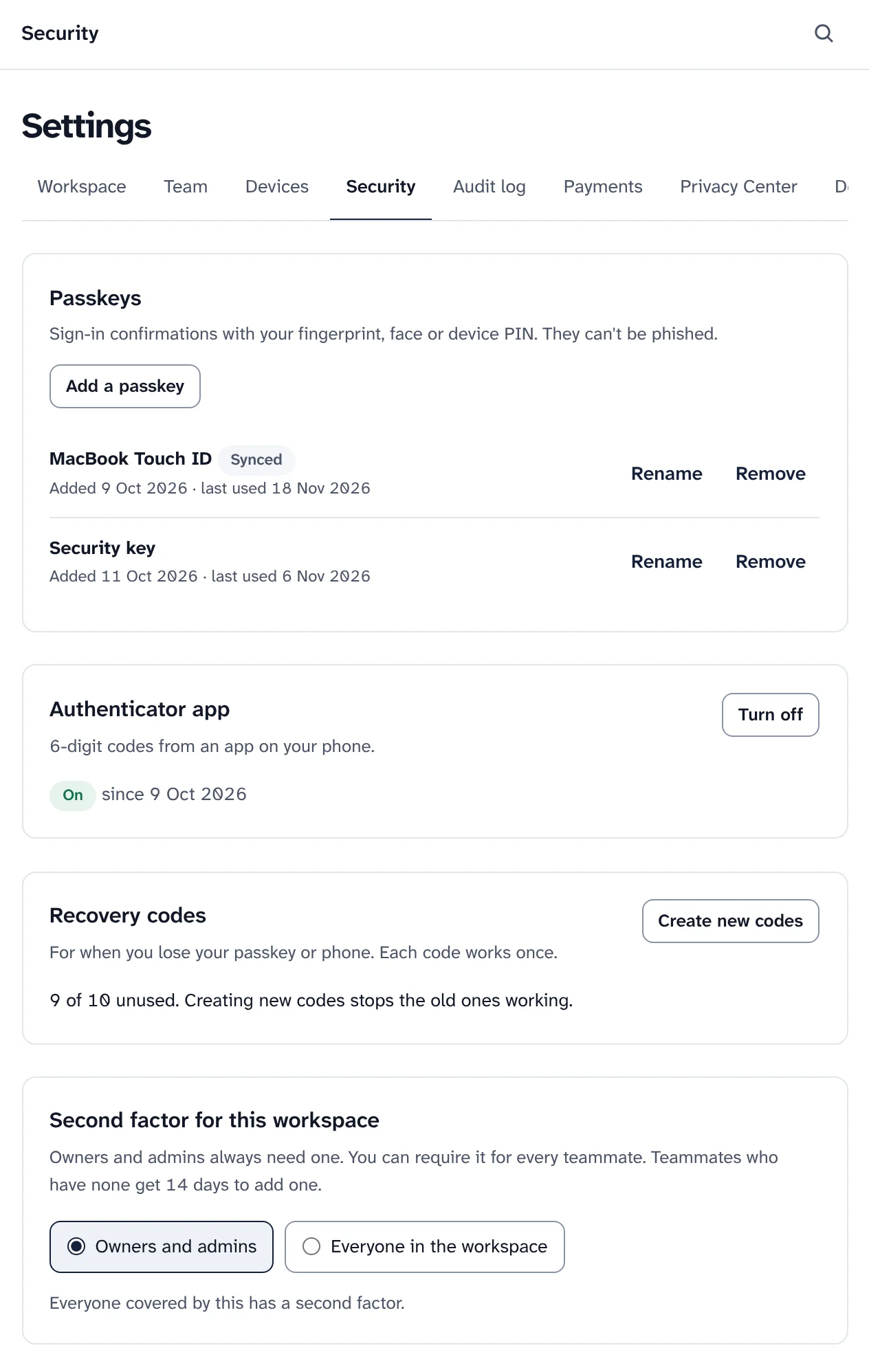
Passkeys, an authenticator app and recovery codes. Sample data. -
Step 3
See who did what, in a log that shows edits
The audit log records every change in a workspace: who did it and when, with a shortened network address. Its entries are chained, so changing or removing a past entry is detected: press Verify log, and a daily check flags a broken chain.
Download it as CSV or JSONL. Downloads of subscriber exports are in it too, and it never holds subscribers' addresses from data requests.
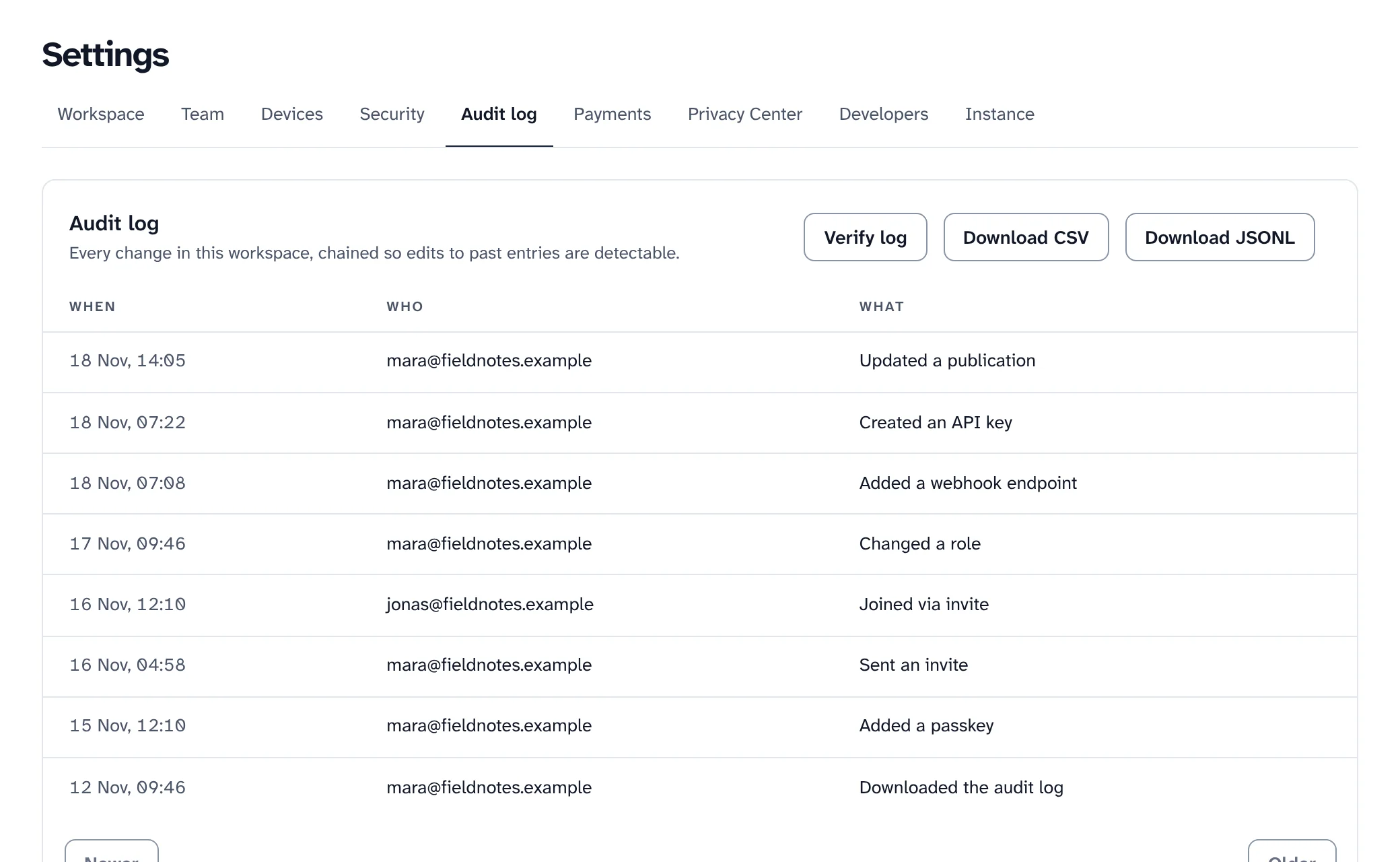
The audit log of a workspace. Sample data. -
Step 4
Build on the public API
The public API lives under
/v2on your dashboard's address: subscribers, segments, posts and sends, plans, signup forms, automations, imports, webhooks and the audit log. The contract is an OpenAPI 3.1 document at/v2/openapi.json, with a reference for every operation at/v2/referenceand a TypeScript SDK generated from it.- Keys with only what they need: each key has scopes, can be limited to some publications and to network ranges, can have a lower rate and an expiry date, and is shown once.
- Safe to retry: send an
Idempotency-Keyand a retry within 24 hours replays the first answer instead of doing it twice. - Rate limits in the headers of every answer, and cursors for long lists.
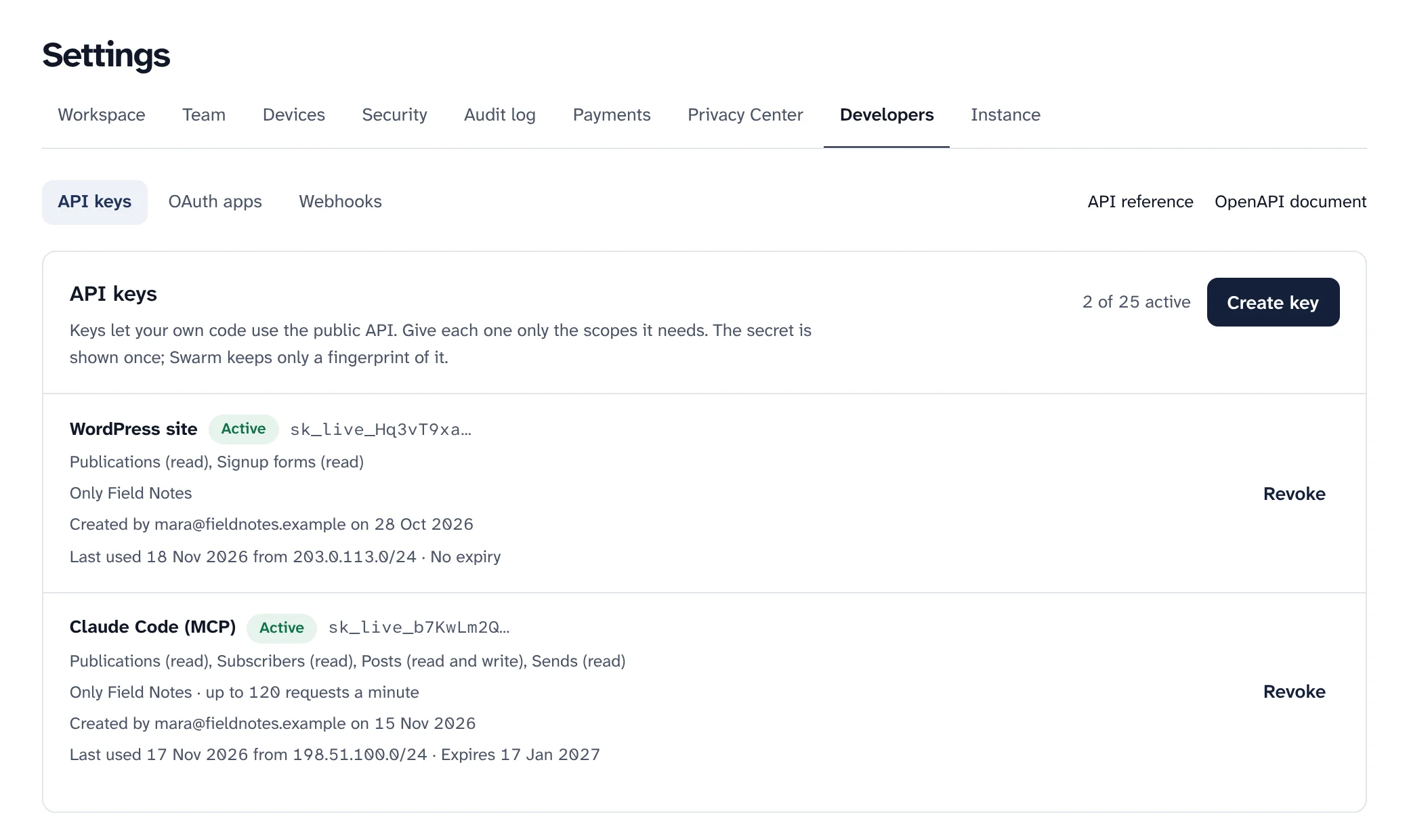
API keys with their scopes and limits. Sample data. REST API
# List your publications with an API key curl https://app.yourdomain.com/v2/channels \ -H "Authorization: Bearer sk_live_…" # Retry safely: the same key replays the first answer curl -X POST https://app.yourdomain.com/v2/channels/ch_…/members \ -H "Authorization: Bearer sk_live_…" \ -H "Idempotency-Key: 7f6c7c1e-2b36-4a52-9d0b-3a3c2f1e8a10" \ -H "Content-Type: application/json" \ -d '{"email":"ada@example.com","consent":true}' -
Step 5
Get signed webhooks for what happens
Swarm can send a signed request to your server when something happens in a workspace: a subscriber joins, confirms or leaves, someone buys a plan, a send finishes, an automation run ends, a signup form is submitted. Choose the events for each endpoint, and optionally one publication.
- Signed and checked: an HMAC-SHA256 signature over the time and the body, with a 5 minute window against replays.
- Retried and logged: up to 9 attempts with growing waits, a delivery log kept for 30 days, and Redrive for anything that failed.
- Rotate a secret with 24 hours when both sign, so you can deploy the new one without dropping events.
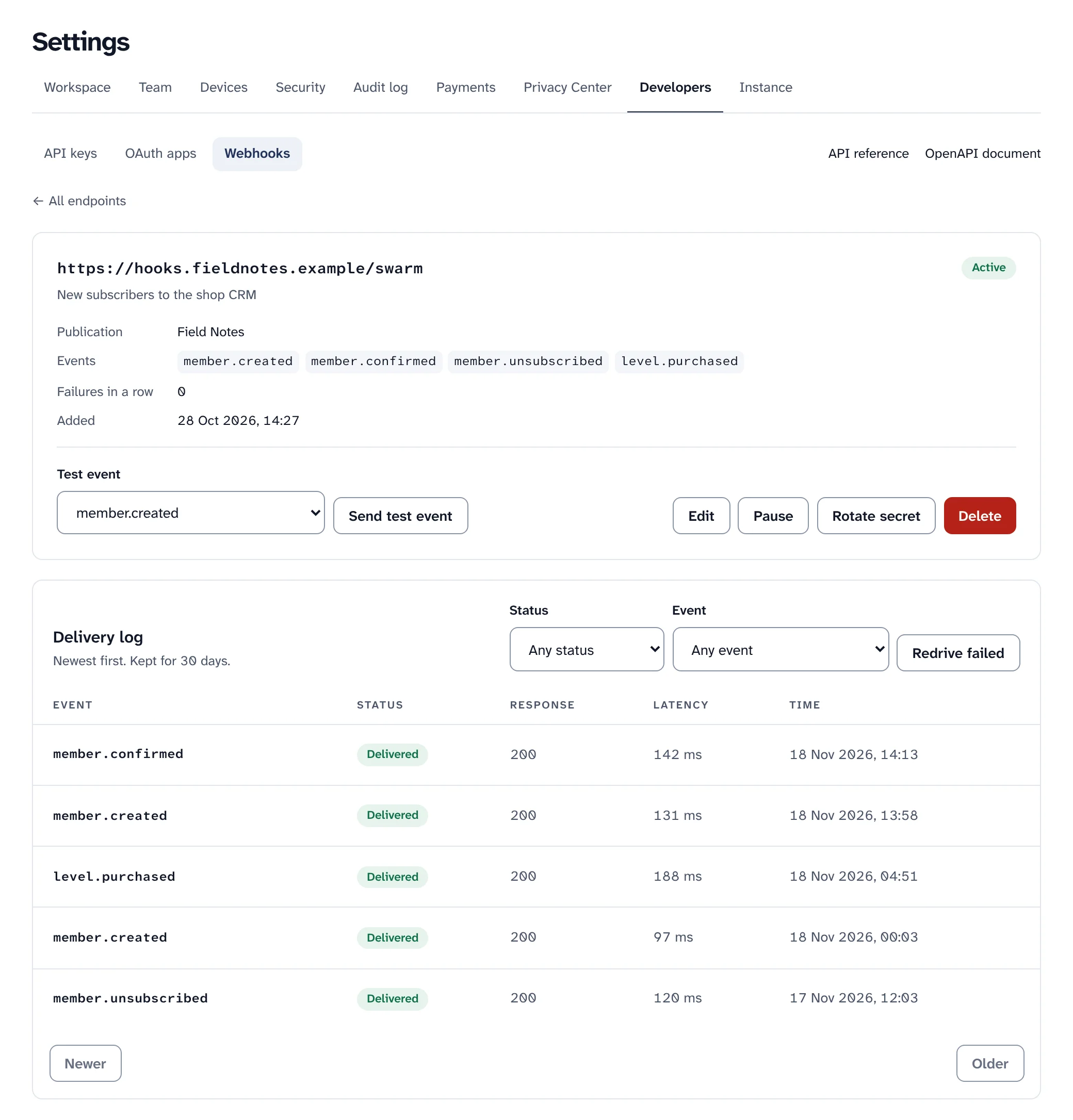
A webhook endpoint and its delivery log. Sample data. What your endpoint receives
POST /your/endpoint HTTP/1.1 Content-Type: application/json Swarm-Event-Id: ev_6b1d4c0e9a2f4d7b8c3e1f0a5b6c7d8e Swarm-Event-Type: member.created Swarm-Signature: t=1793188800,v1=5f0c…e1a9 # v1 is an HMAC-SHA256 of "<t>.<raw body>" with your endpoint secret. # Refuse a request more than 5 minutes from your clock. -
Step 6
Connect AI tools over MCP, with a person in charge
Your Swarm has an MCP server at
/mcp. Connect Claude, Cursor, VS Code or any client that speaks Streamable HTTP, with an API key or OAuth. The tools an agent sees are exactly the API operations its key's scopes allow.- Destructive calls wait for a person: by default, sending a post, unsubscribing people or adding a webhook is held until an admin approves the exact request, which then runs once.
- Choose how careful: hold destructive calls, every write, or nothing, and how long a held call waits.
- Every call is logged with the client, the key, the tool and the outcome, in a chained log of its own.
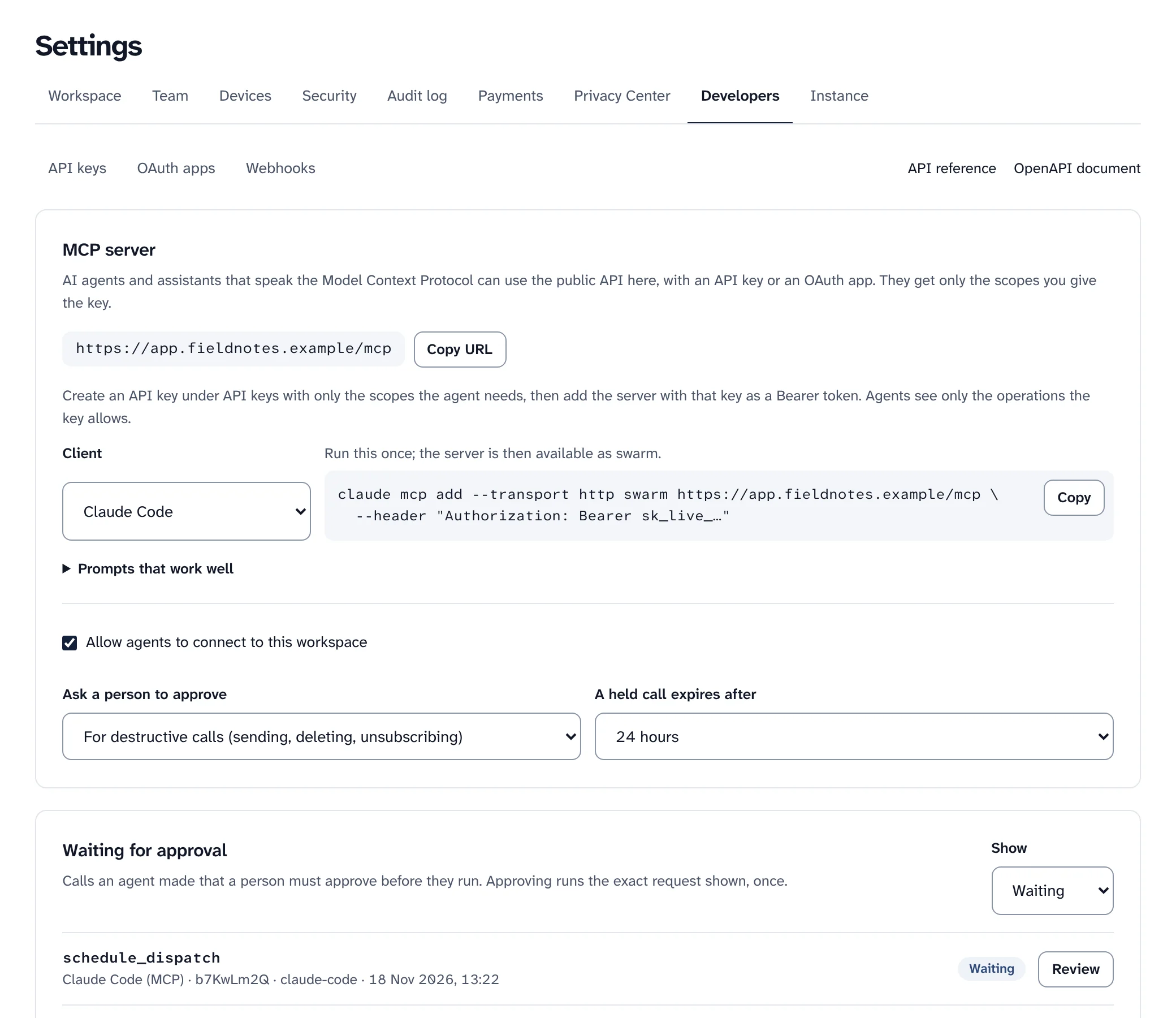
The MCP server, and a call waiting for approval. Sample data. MCP in Claude Code
# Add your Swarm to Claude Code claude mcp add --transport http swarm \ https://app.yourdomain.com/mcp \ --header "Authorization: Bearer sk_live_…" # Or point any client that speaks Streamable HTTP at https://app.yourdomain.com/mcp -
Step 7
Show your signup forms on WordPress
The WordPress plugin shows your published signup forms on a WordPress site, as a block or a shortcode. Subscriber addresses never pass through WordPress: the visitor's browser sends them straight to Swarm. If Swarm can't be reached, the site keeps showing the last good copy of the form.
- Plain or scripted: a plain HTML form with no JavaScript from Swarm, or Swarm's embed with the form's own design and its popup or slide-in.
- Needs WordPress 6.5 and PHP 7.4 or later, and an API key that can read publications and signup forms.
WordPress
# In a post or a template
[swarm_form id="cf_…"]

# With the form's own design, popup or slide-in
[swarm_form id="cf_…" mode="script"]

# Keep the key out of the database: wp-config.php
define( 'SWARM_NL_API_KEY', 'sk_live_…' );
Names, previews and what is not built
A few things to know before you build on Swarm, or rely on it for a team.
- Internal names in the API: a post is a
Dispatch, a subscriber aMember, a publication aChannel, a segment aCircleand an automation aFlow. - Approvals cover MCP: a direct
/v2call runs with its key's scopes and isn't held, so give an agent's key to its MCP client only. - The WordPress plugin is tested on WordPress Playground, not yet on a real web host, and is not in the WordPress plugin directory.
Single sign-on is built but off: OpenID Connect has only met a test identity provider, never a real one. SAML and SCIM are not built.
Keep reading
Your newsletter, with an API you can read.
Install Swarm, create a key with only the scopes you need, and open /v2/reference on your own install.
Want to look first? pnpm swarm --dry-run shows every step and changes nothing.