Signup journeys
What new subscribers see right after they subscribe: a question, an offer to go paid or a welcome page. One live journey per form.
Automations send the right email at the right moment, referrals reward readers who share, polls ask your list what it thinks, and a link-in-bio page turns visitors from your profiles into subscribers.
Step 1
An automation starts when something happens to a subscriber, such as joining, confirming, buying a paid plan or going quiet, and then follows its steps. Automations lists each one with its status, its trigger, the live version, and how many people are in progress, have completed, or exited.

Step 2
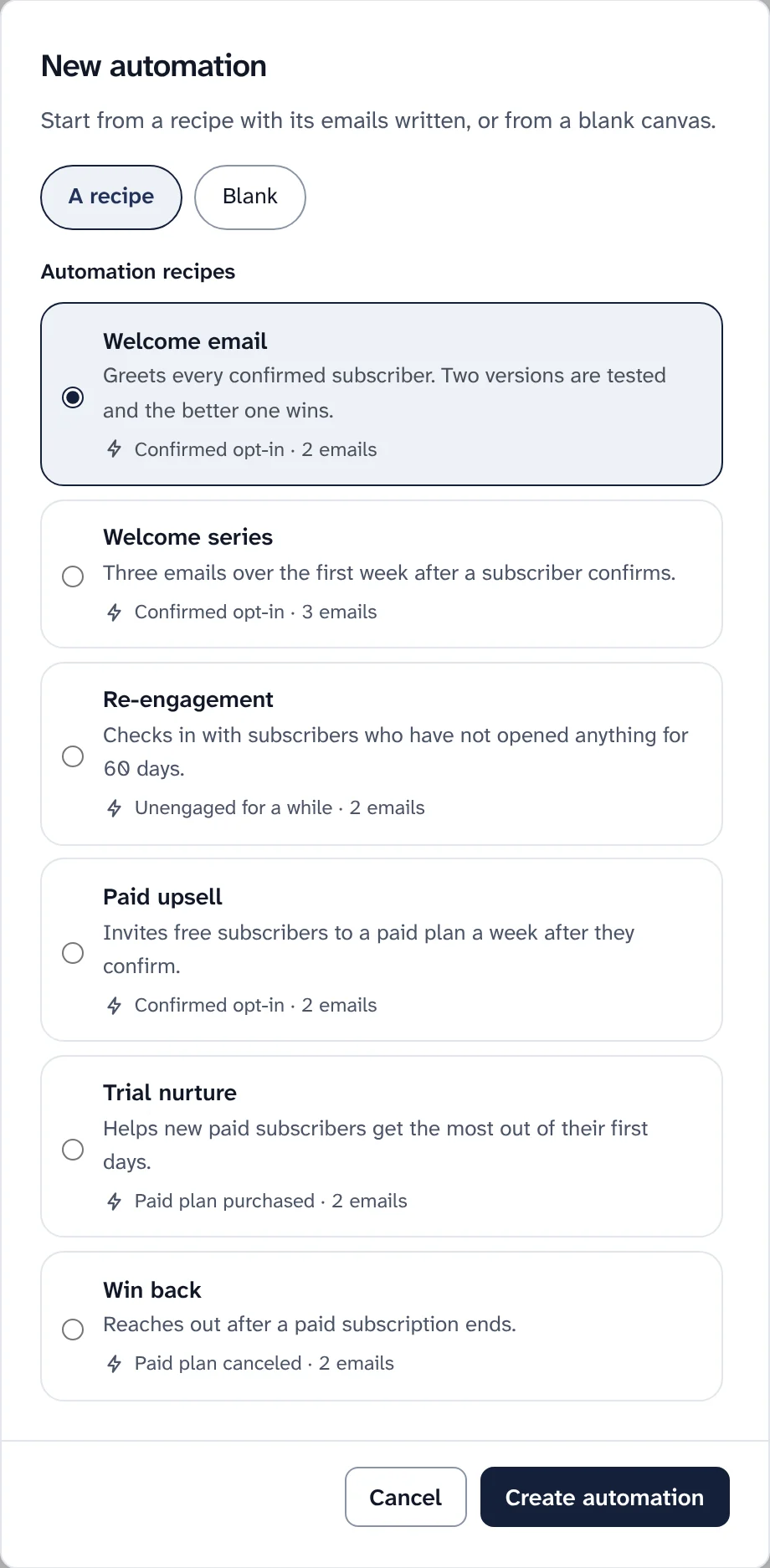
Press New automation and pick a recipe or a blank canvas. Each recipe comes with its emails already written, as a guide you replace with your own words. The Welcome email tests two versions against each other and keeps the better one.
| Recipe | What it does | Emails |
|---|---|---|
| Welcome email | Greets every confirmed subscriber. Two versions are tested and the better one wins | 2 |
| Welcome series | Three emails over the first week after a subscriber confirms | 3 |
| Re-engagement | Checks in with subscribers who have not opened anything for 60 days | 2 |
| Paid upsell | Invites free subscribers to a paid plan a week after they confirm | 2 |
| Trial nurture | Helps new paid subscribers get the most out of their first days | 2 |
| Win back | Reaches out after a paid subscription ends | 2 |
Step 3
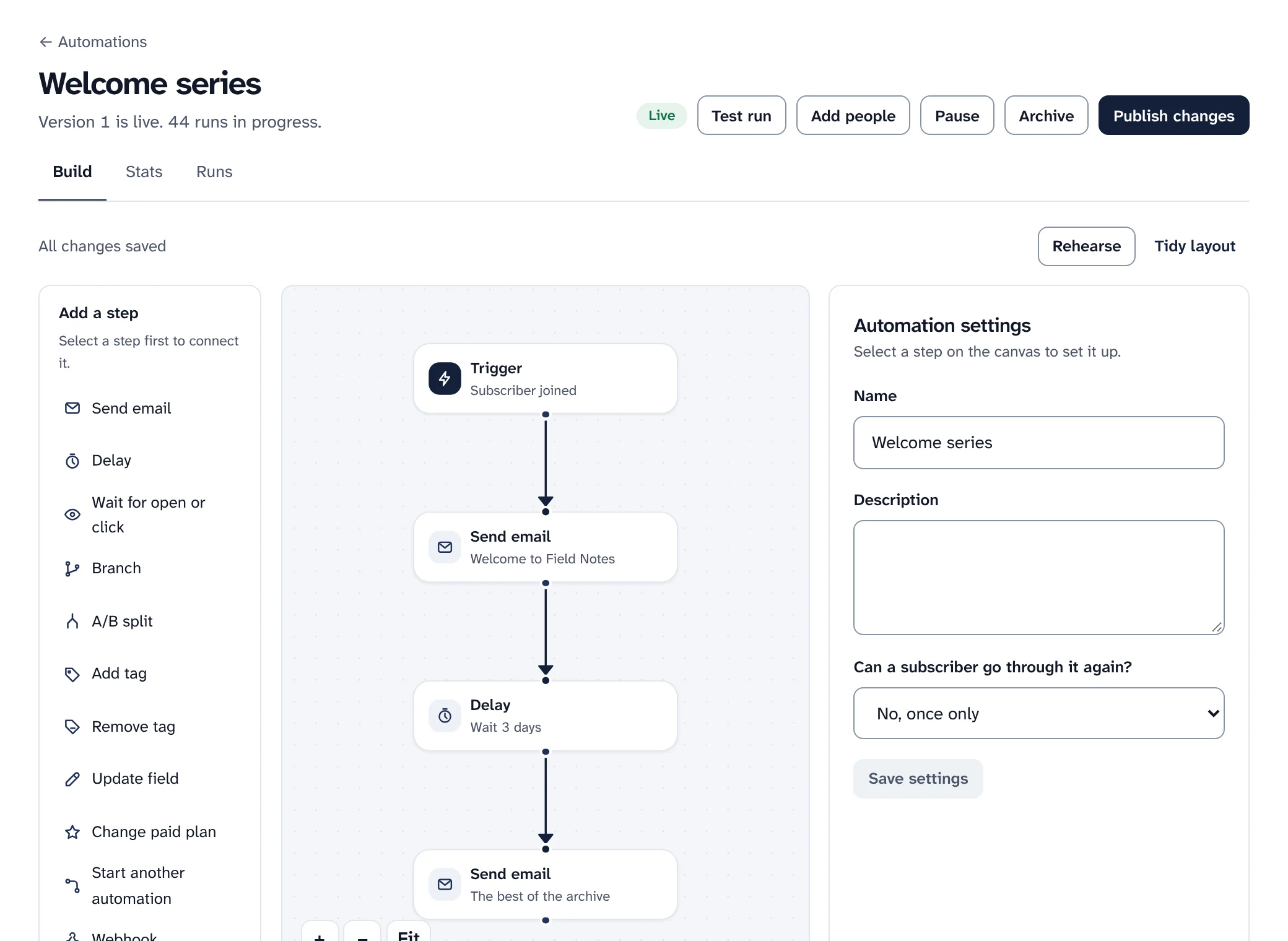
The builder shows the automation as a path of steps. Click a step to change it, and add new ones from the list on the left.
Step 4
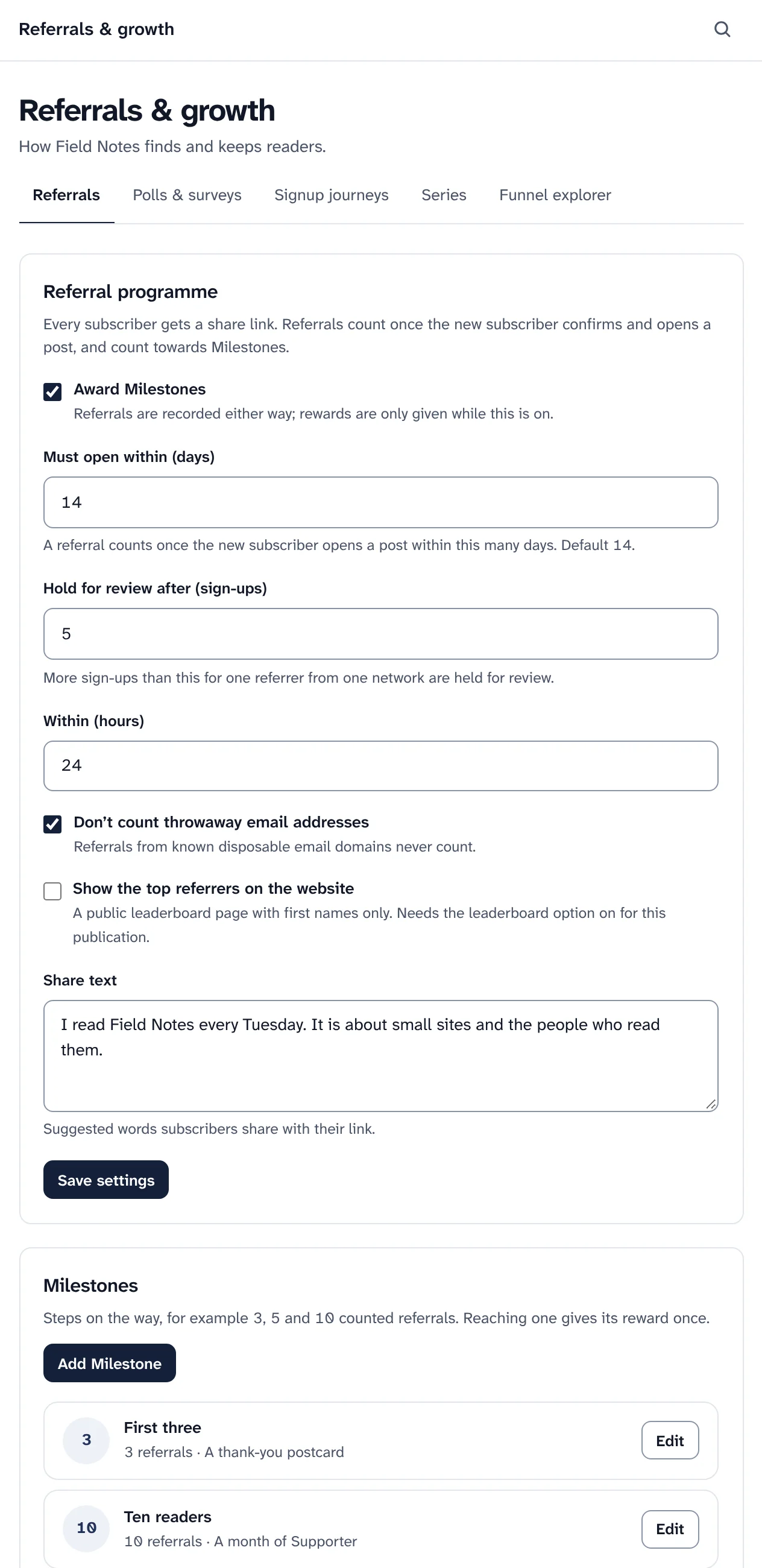
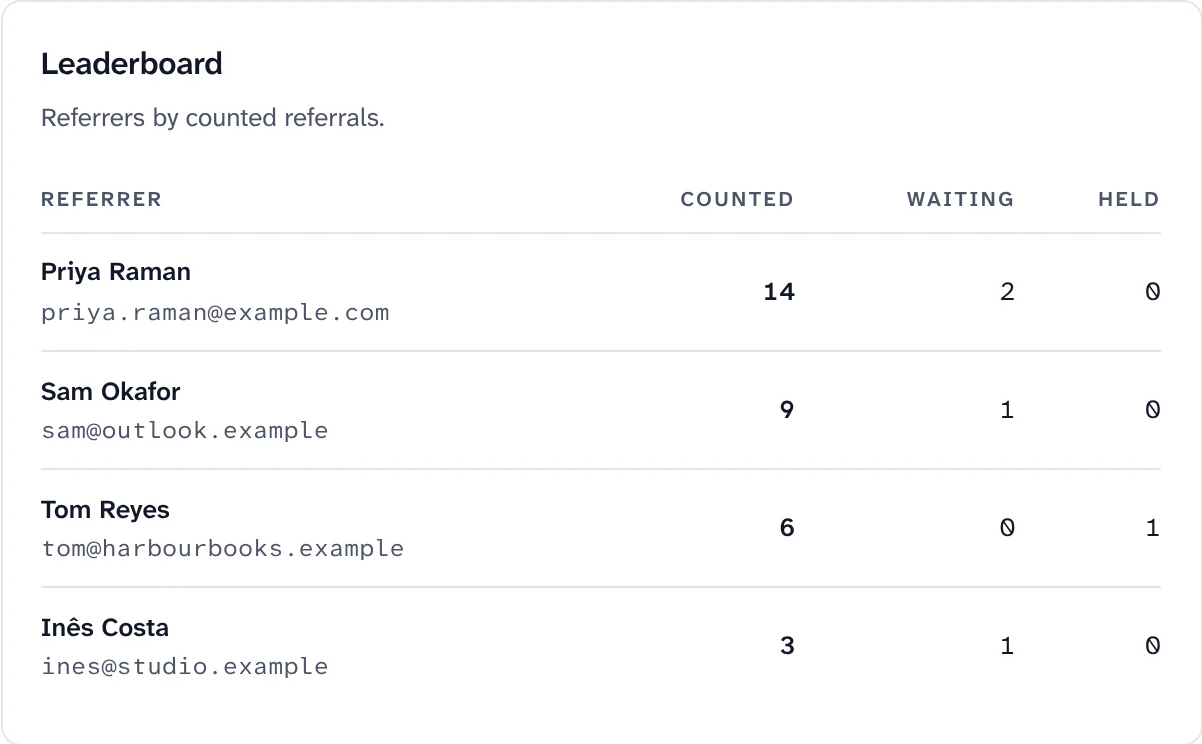
Every subscriber gets a share link. A referral counts once the new subscriber confirms and opens a post within the days you choose, and counted referrals reach milestones, such as three or ten readers. Each milestone can give a reward once: a month of a paid plan, a coupon, or something you send by hand.
Step 5
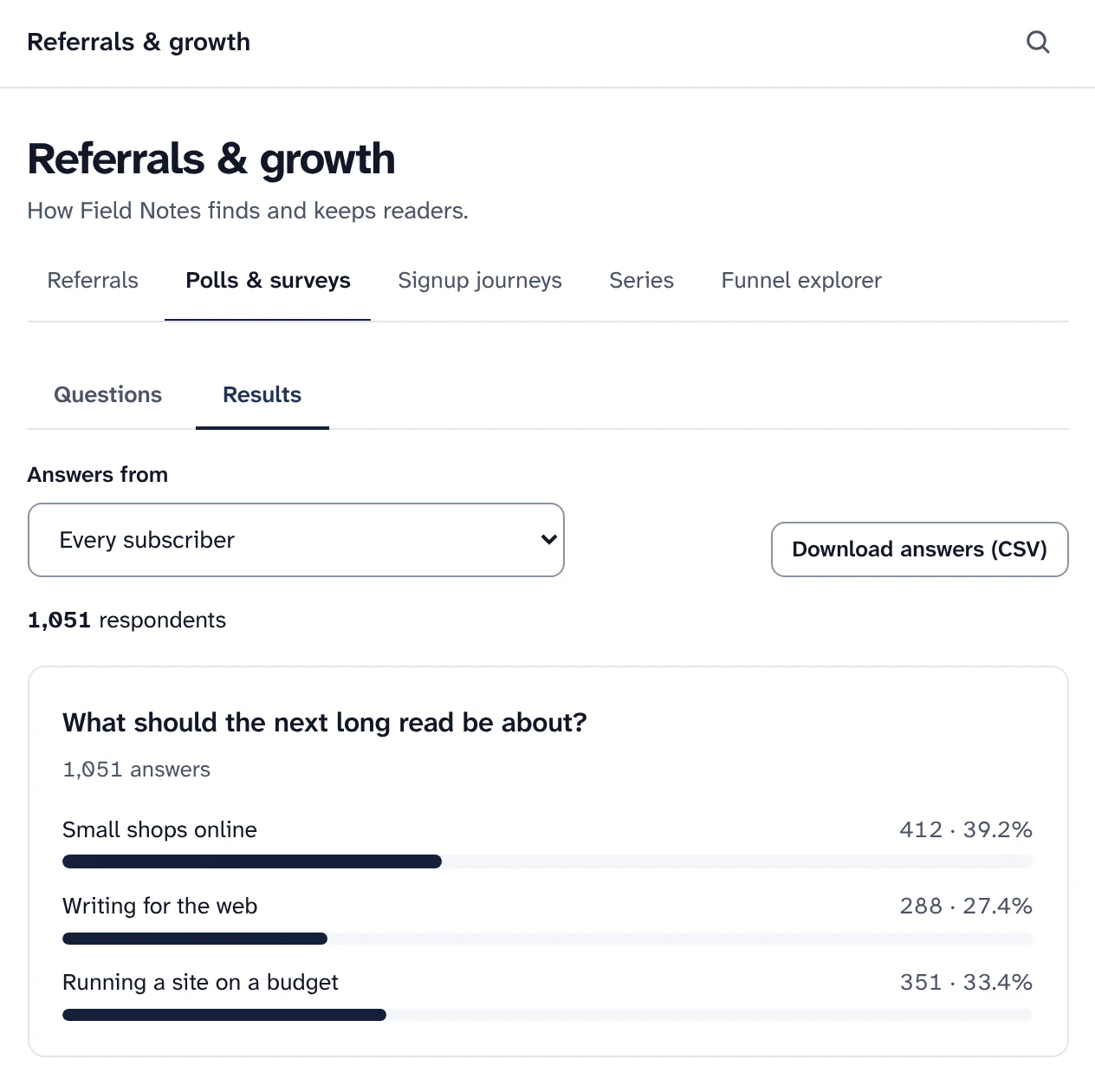
A poll goes in a post as one-tap buttons: readers answer from the email itself. A survey has up to 20 questions and lives on your website. While it is open, a new answer replaces a reader's old one.
Step 6
Link Hub is a page at /links on your publication's website, for the link in your social profiles. It shows your logo, a short bio, your profiles elsewhere, your links in the order you choose, your latest posts and a signup form, in your website's colours and fonts.

The other tabs of Referrals and growth, and the signup tools on your website.
What new subscribers see right after they subscribe: a question, an offer to go paid or a welcome page. One live journey per form.
Group posts that belong together, such as a course or a story in parts. On your website each one links to the next.
From visit to signup, confirmation, first open and paid, broken down by source, link tags, signup form or referrer.
A page on your website built around one signup form, with no navigation to lead people away. On the website
Inline, slide-in, popup or sticky bar, with confirm opt-in and a preview on desktop and mobile. In Audience
Trials, coupons and gift subscriptions, and the Paid upsell recipe to invite free readers. Paid subscriptions
Growth features follow the same rules as the rest of Swarm: they only email people who can be mailed, and they keep to your tracking choices.
Readers decide what they share. Someone who asks not to be tracked is never counted in opens or clicks, so a "did not open" path in an automation includes them. Check a segment of people who did not open before using it to remove anyone.
Install Swarm and start with the Welcome email recipe: it is written, tested against itself, and ready to publish.
Want to look first? pnpm swarm --dry-run shows every step and changes nothing.