The editor
Blocks for images, buttons, quotes, code, embeds, polls, footnotes, files, a paywall break and reusable snippets. Merge tags, autosave and a history of every version.
How writing works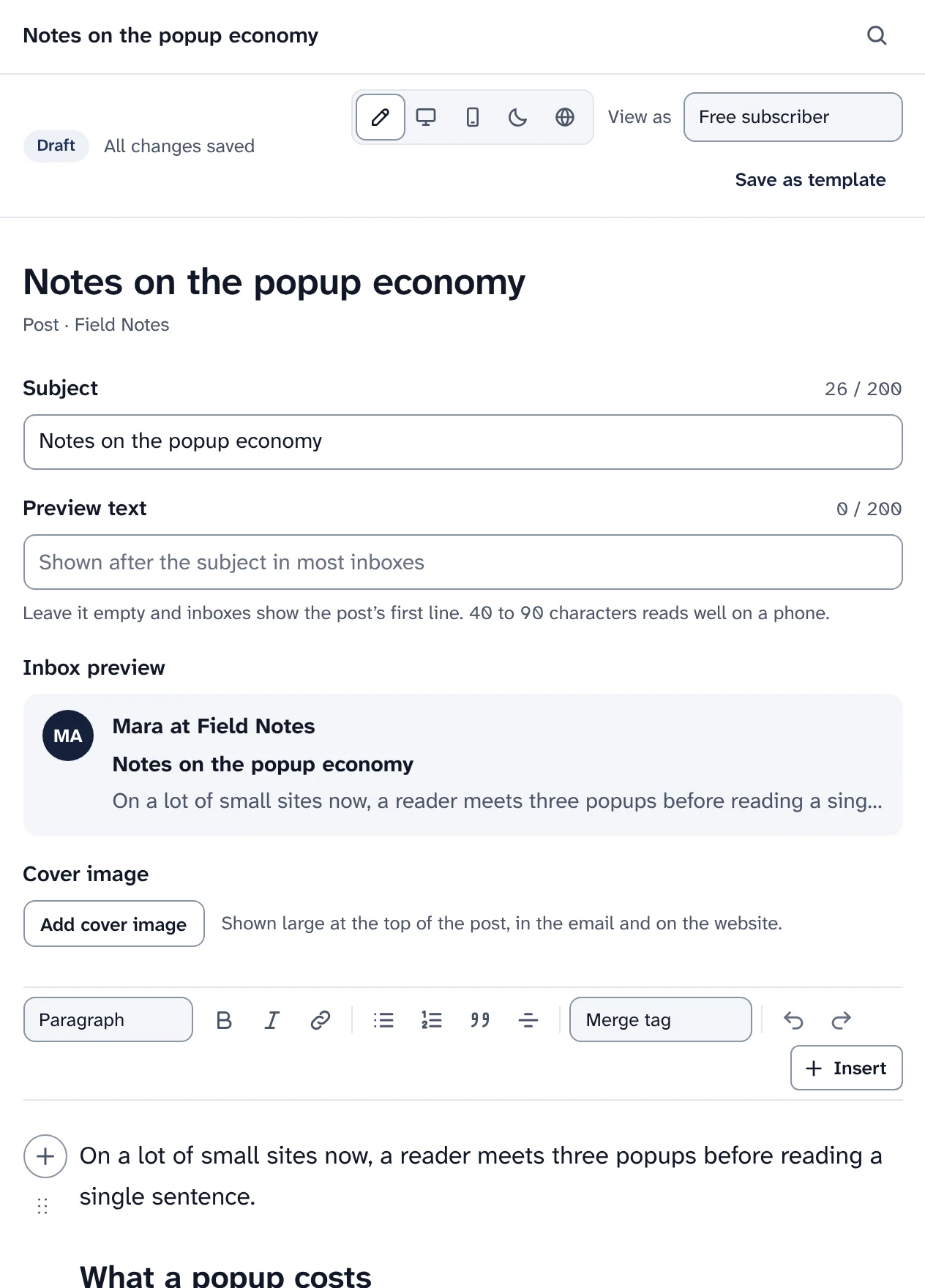
Swarm covers writing, sending, deliverability, your list, growth, paid subscriptions and a website for every publication. Here is each part as it looks in the dashboard, with a page that explains it step by step.
An editor made for email and the web, with templates to start from and previews before anything goes out.
Blocks for images, buttons, quotes, code, embeds, polls, footnotes, files, a paywall break and reusable snippets. Merge tags, autosave and a history of every version.
How writing worksEight starter templates from the first run: personal letter, weekly roundup, essay, announcement, interview, product update, invitation to go paid and welcome issue. Save your own, or import HTML.
Templates guide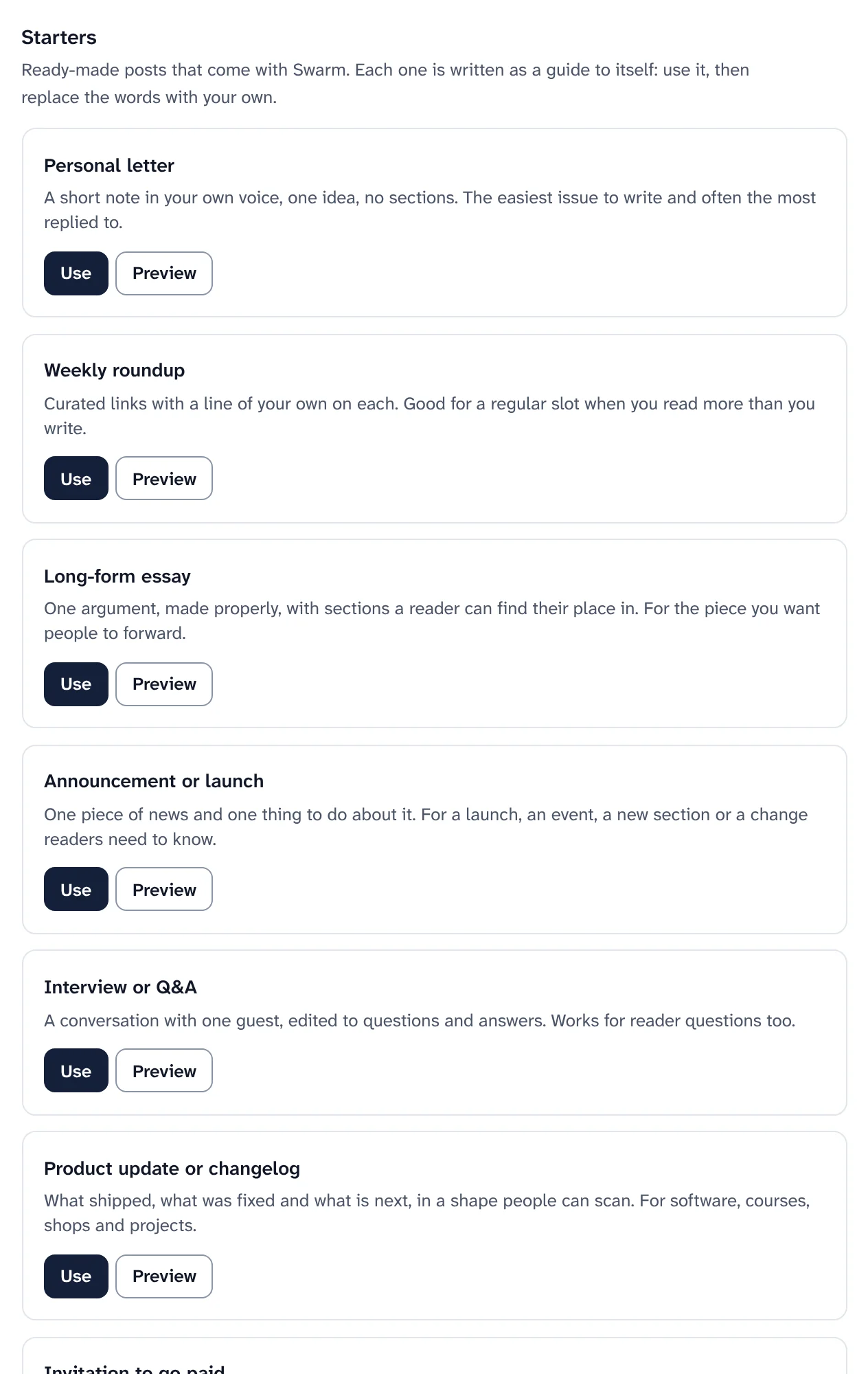
Switch between Edit, Email on desktop, Email on a phone, Email in dark mode and Web, view as a free or a paid subscriber, then send yourself a test.
Previews and tests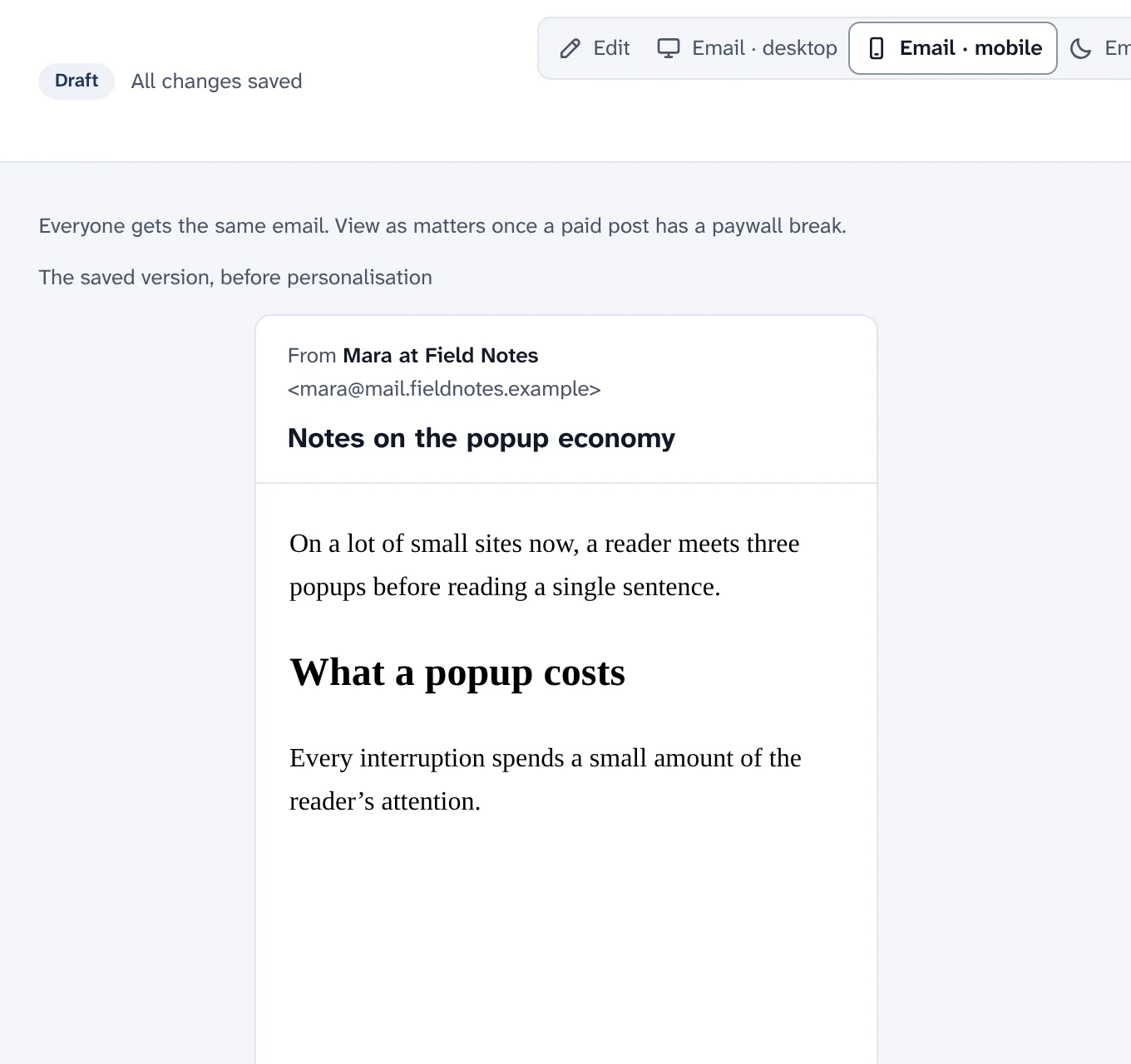
Every post with its status, who started it and when it went out. Archive sent posts, or switch to a calendar of scheduled, sent and planned posts.
Archive and calendar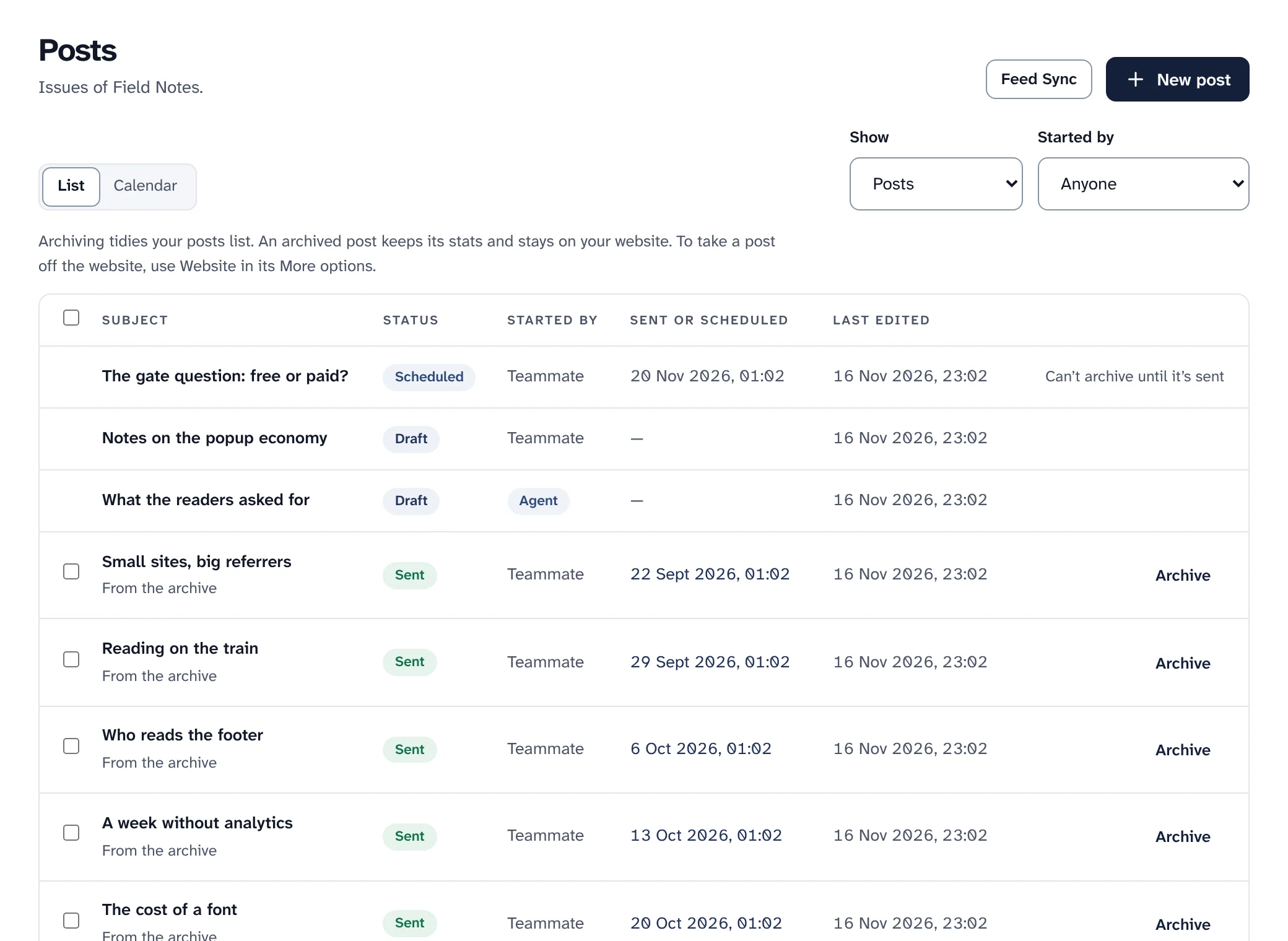
The same three stops before every send, and a report that updates while it goes out.
Write, Who gets it, Check & send, in that order. Send now or schedule, with checks on the subject, links, sender, domain, audience and warm-up.
How sending works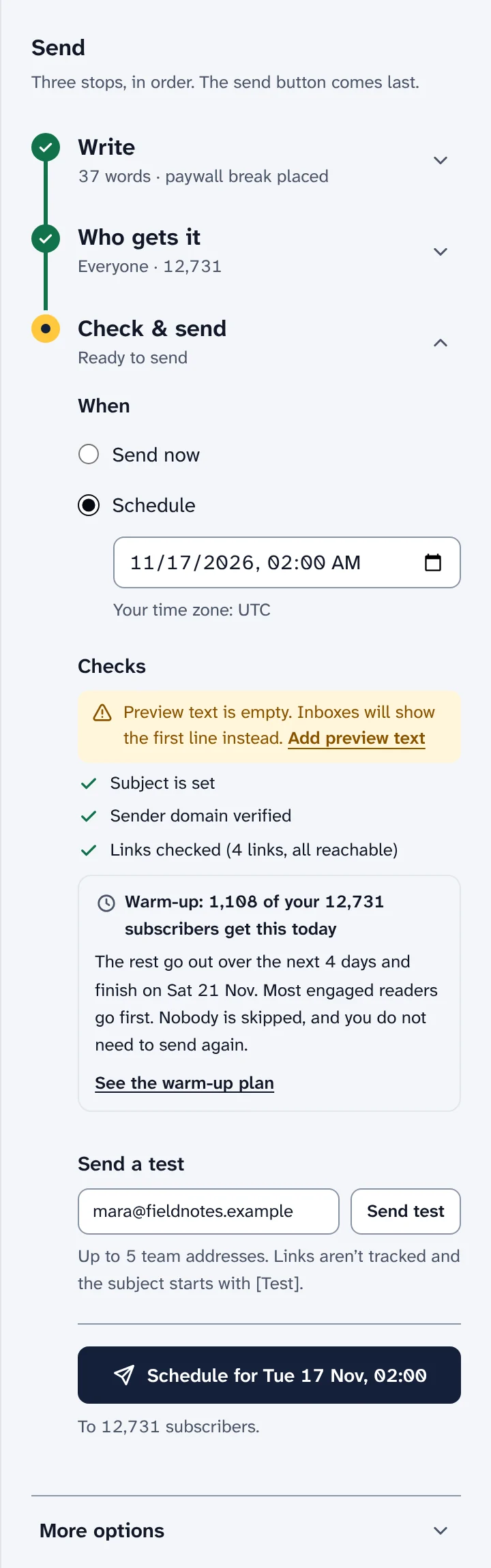
Send two or three versions of the subject or the content to part of the audience, then the winner to everyone else, by opens, clicks or a goal.
Split tests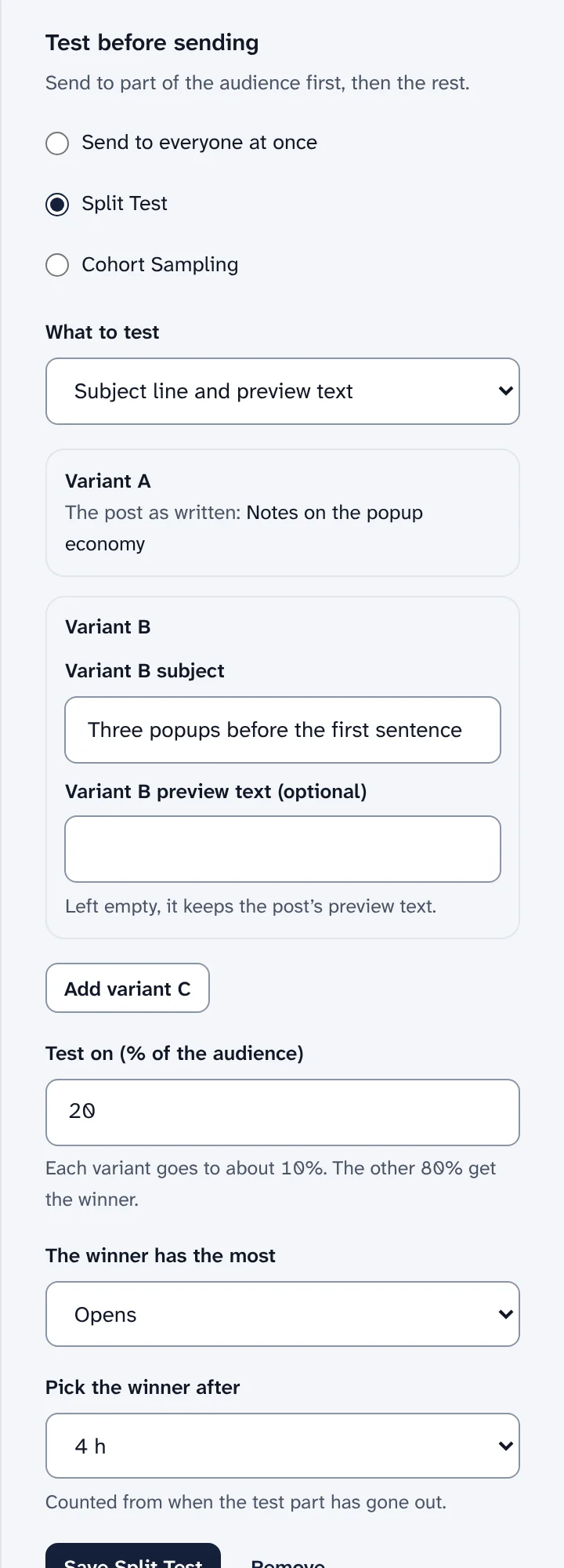
Delivered, opened by people, clicked, unsubscribed, bounce and complaint rates, with privacy proxies and link scanners counted apart, tracked links and a click map.
Reading the report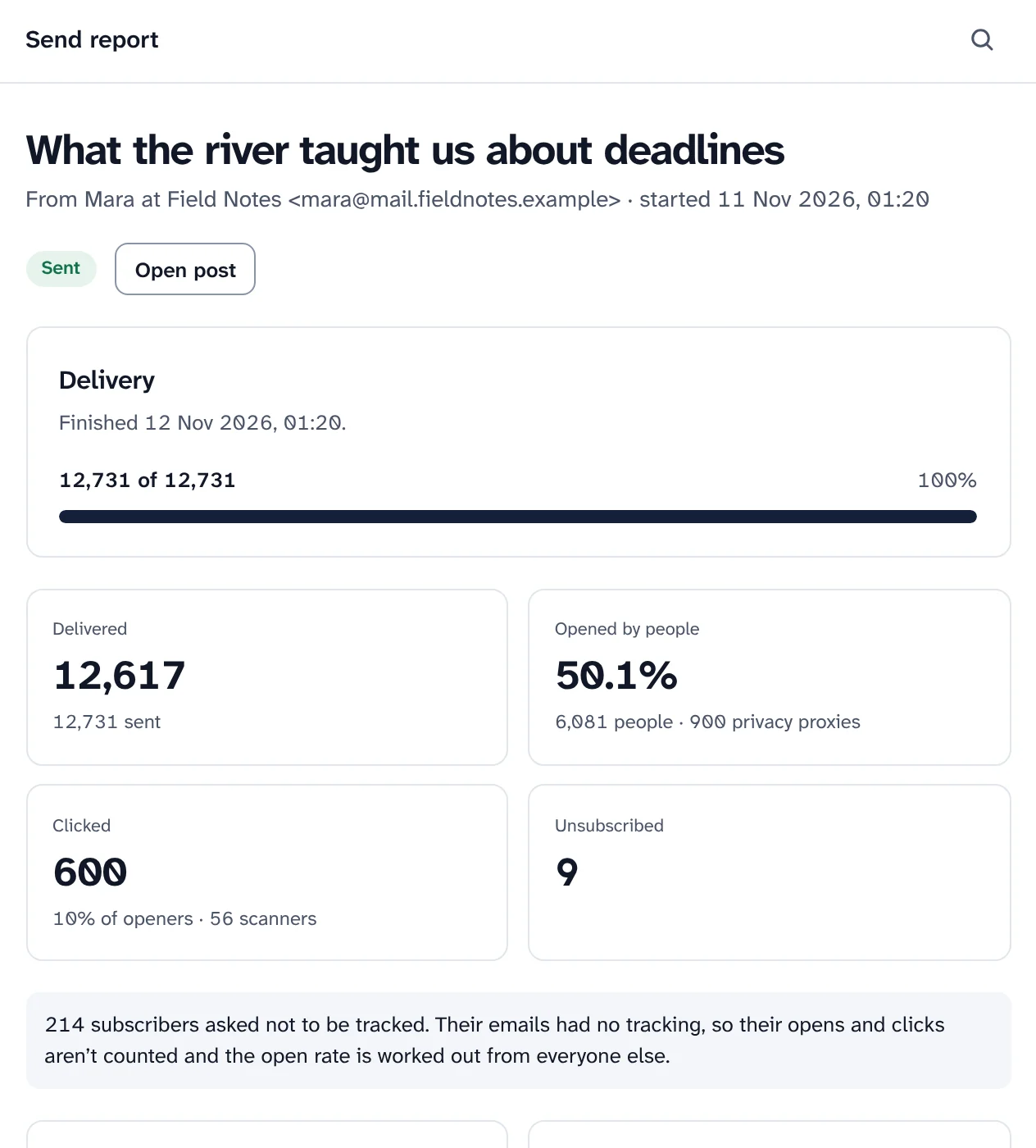
Send each reader the post at the hour they usually read, within 24 hours of your time. Send again to people who did not open. Segments and several lists per publication.
Best-time sending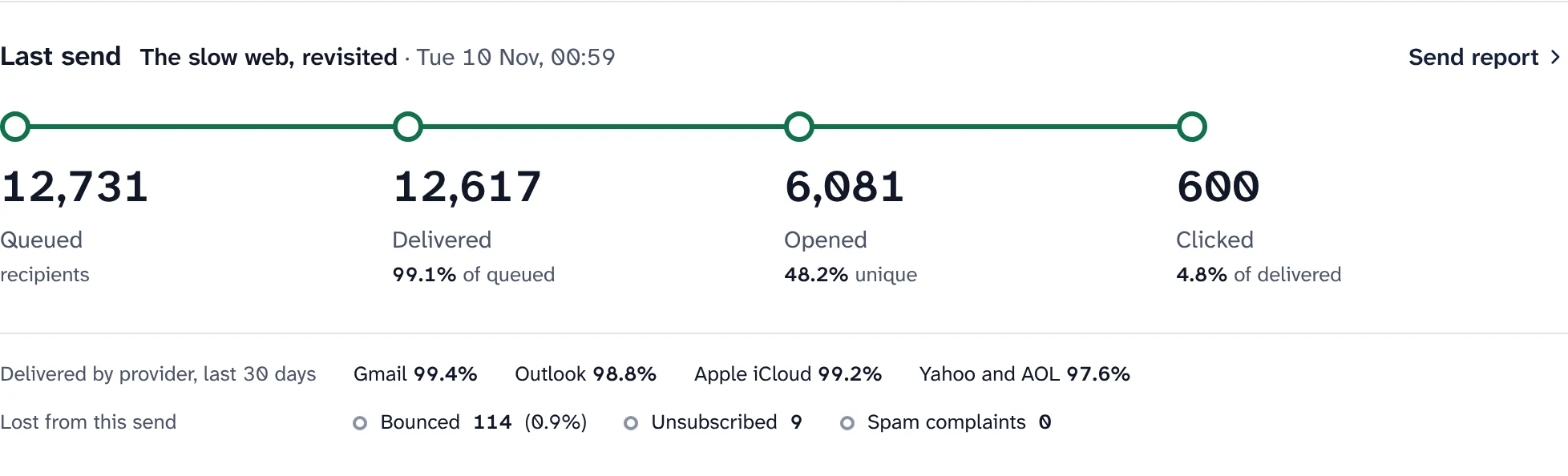
Everything that decides whether email lands in the inbox, checked for you and explained in plain words.
One verdict, a score out of 100 and a list of what to fix, most harmful first: sender, DNS records, DMARC, bounce and complaint rates, mailbox providers, warm-up, list hygiene, footer and blocklists.
The check-up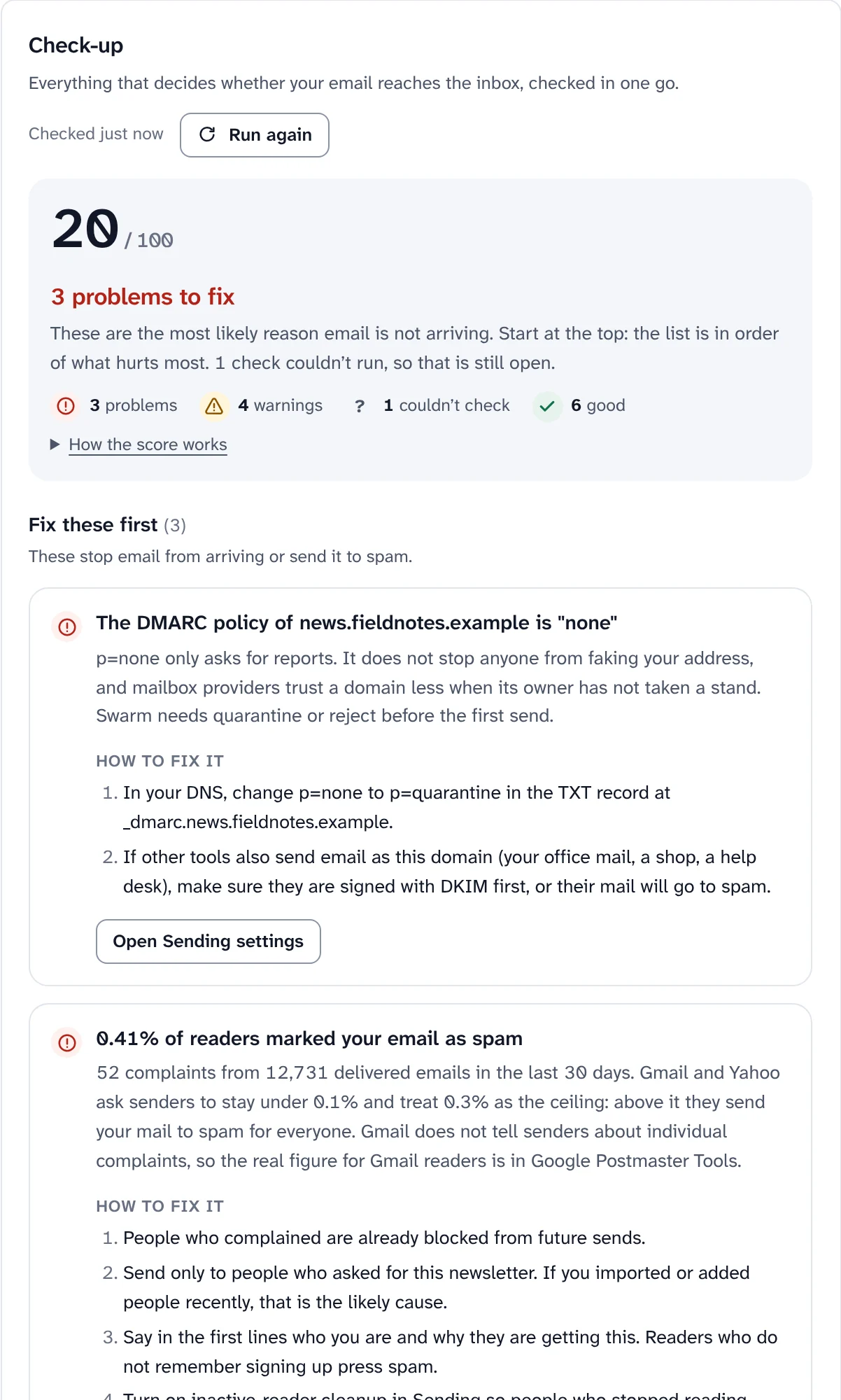
New sending domains start small and grow after each good day, with a day-by-day plan, the date your whole list fits in one day, and an automatic pause if bounces or complaints spike.
How warm-up works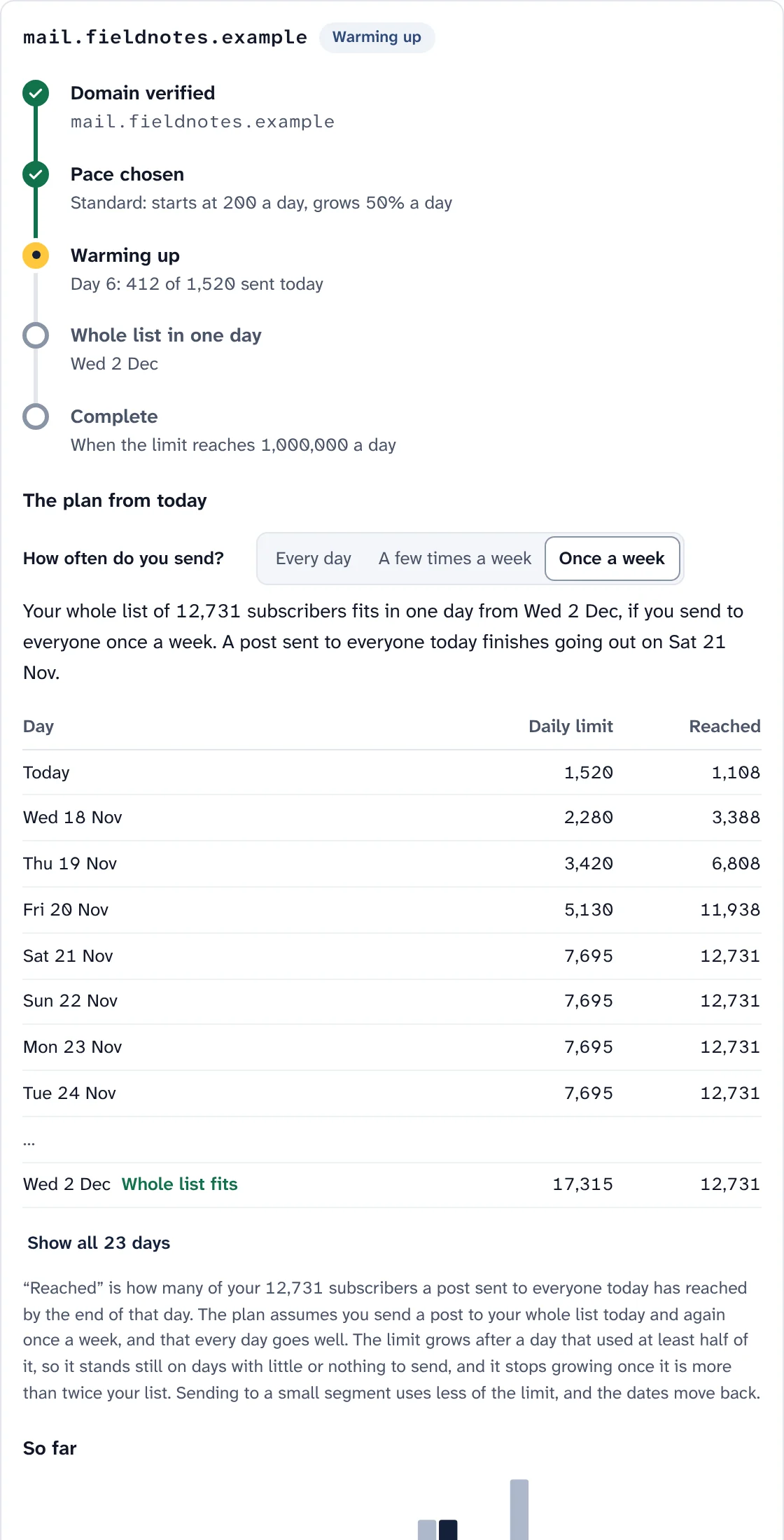
Your own domain in the From address, with the DKIM, bounce, SPF and DMARC records to add, a copy button for each and a check every few minutes.
Your sending domain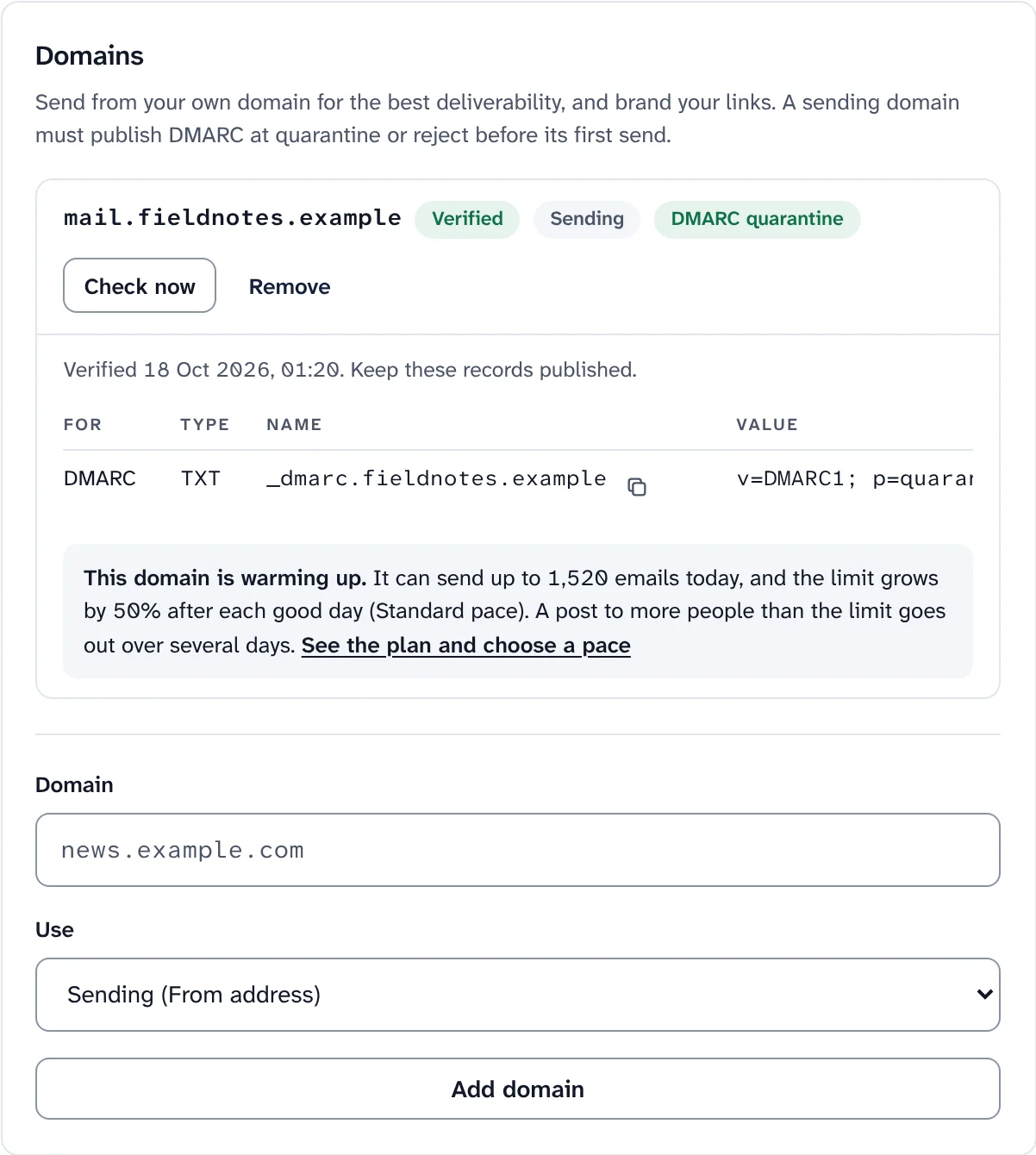
Choose when Swarm stops mailing an address. Every bounce is classed as hard, soft or blocked, and subscribers on a paid plan are never stopped silently.
Bounces and complaints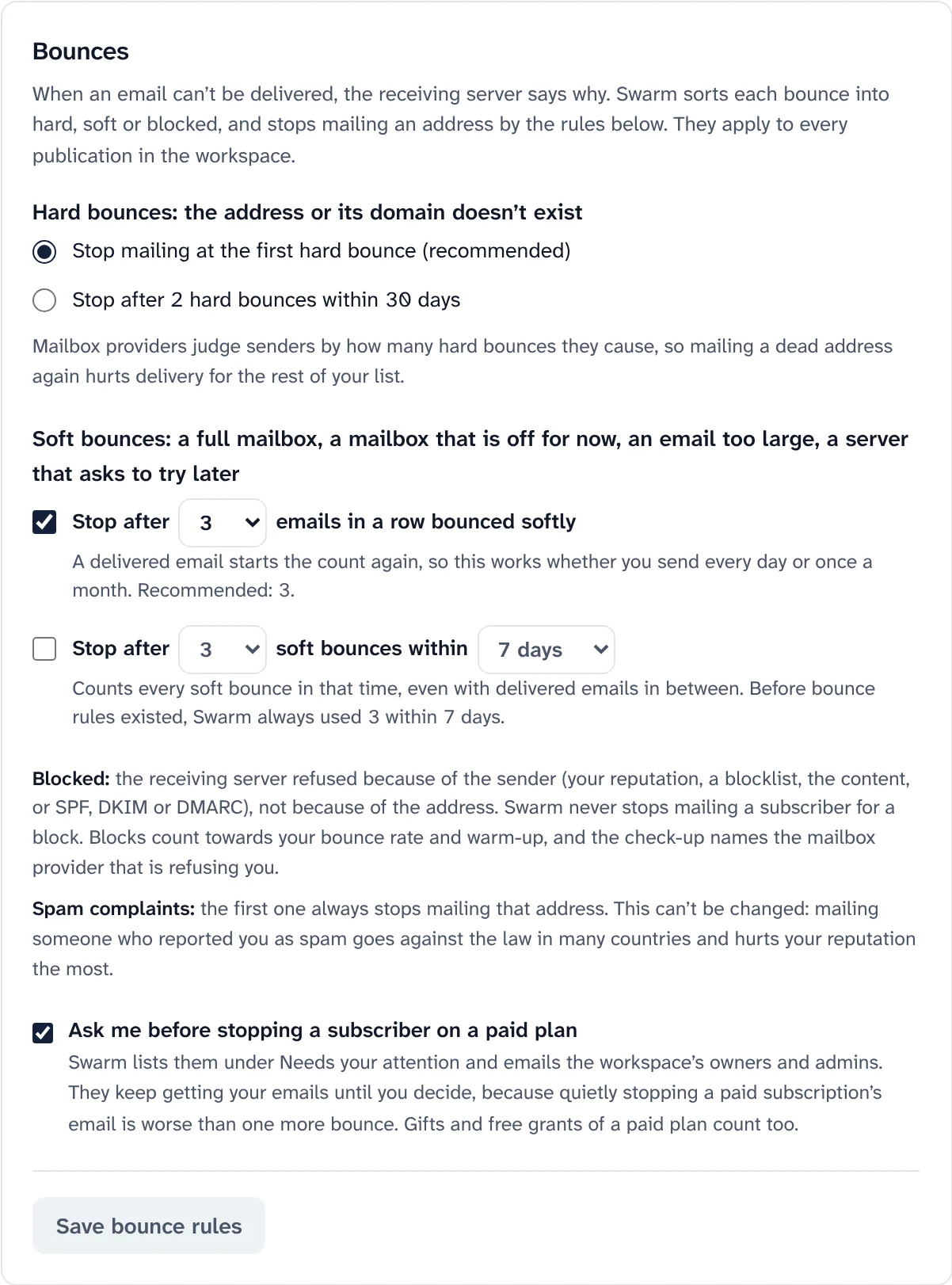
Check addresses at signup with "Did you mean", on import, when someone is added, and across your list. Green, orange or red, with paying subscribers never changed automatically.
Email checks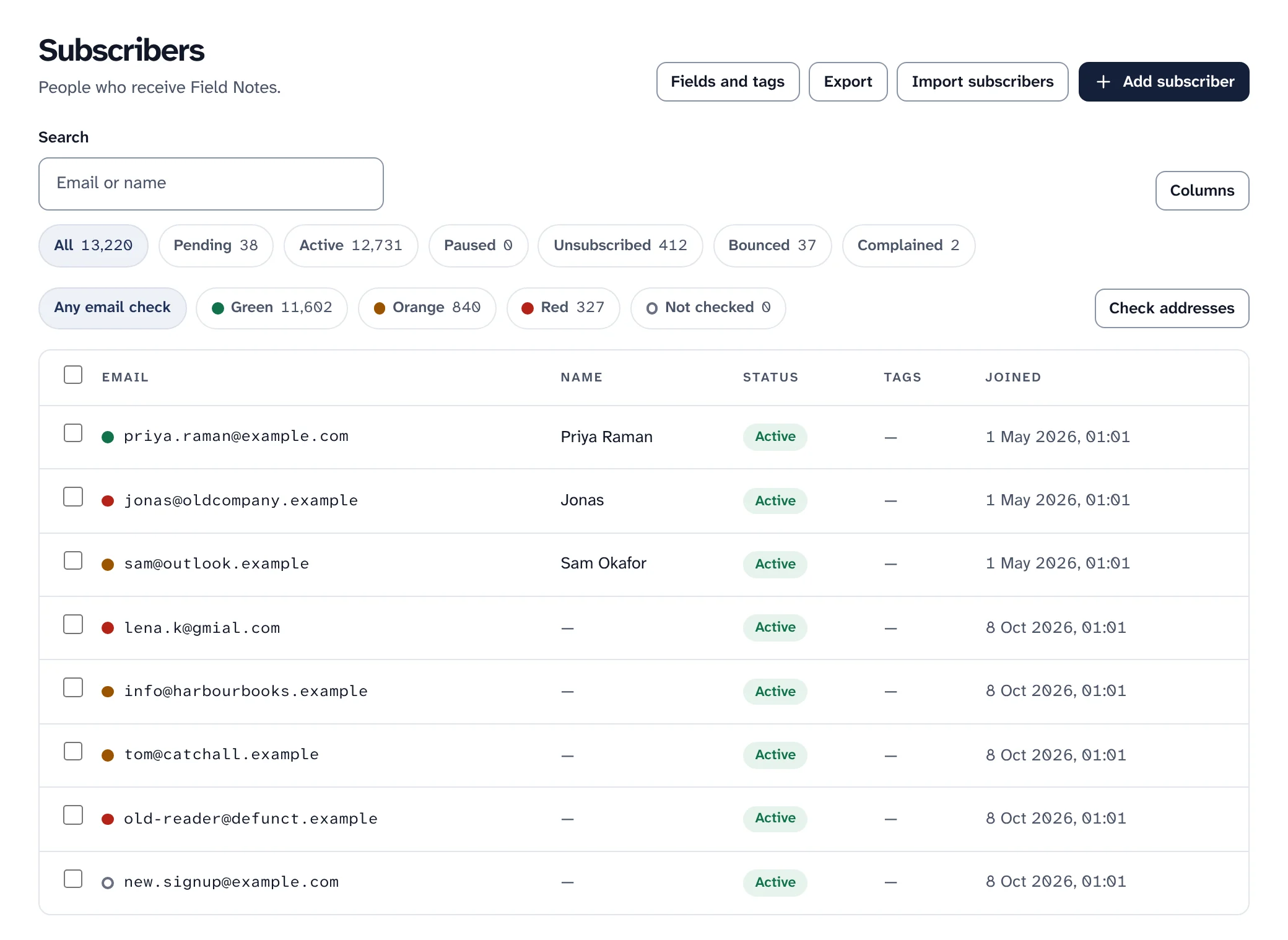
Your email service's limits per second, hour, day and month, with presets for common plans. Mail people wait for goes first, and a send over a limit waits instead of failing.
Limits, with nothing lost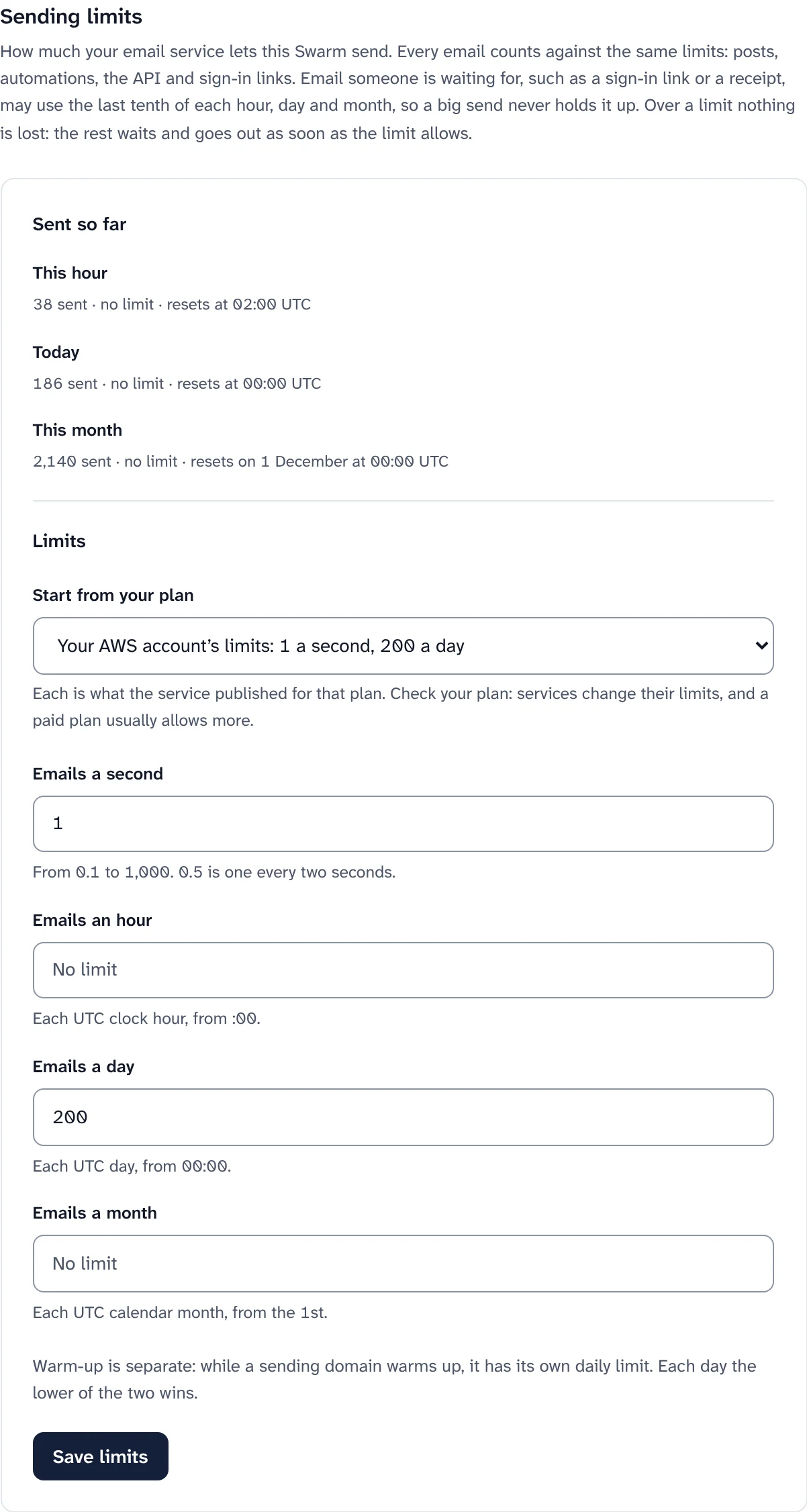
Your subscribers, in your database, grouped the way you need.
Import from a CSV or another platform with a dry run first, add people by hand, export as CSV or JSON Lines, and keep custom fields and tags.
Subscribers and importsGroups defined by rules on tags, fields, dates, opens, clicks, referrals, paid plan and where people signed up. They update by themselves.
Segments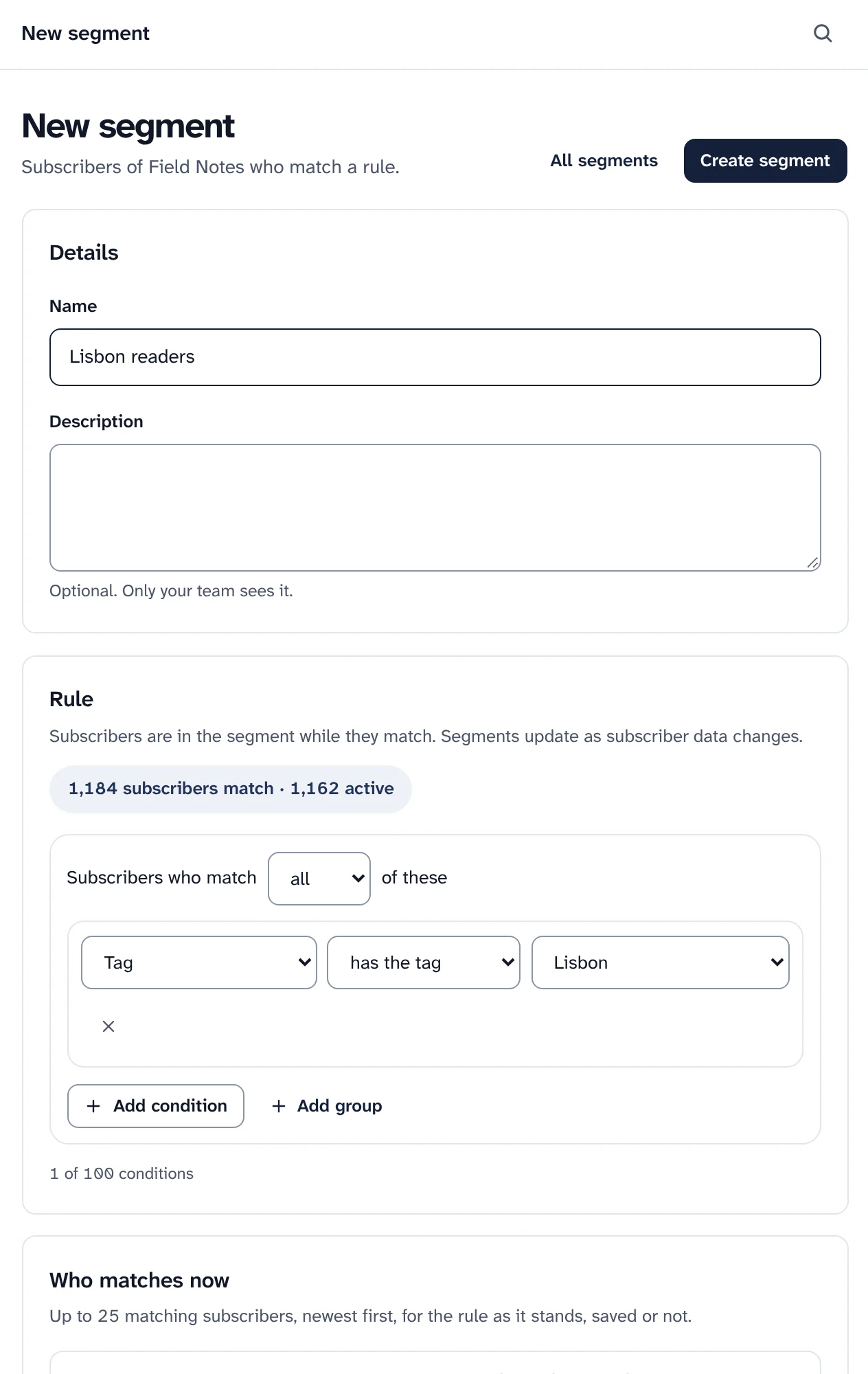
Inline, slide-in, popup or sticky bar, with fields, consent, triggers, confirm opt-in and a preview on desktop and mobile. Paste one line of code, or use the plain HTML form.
Signup forms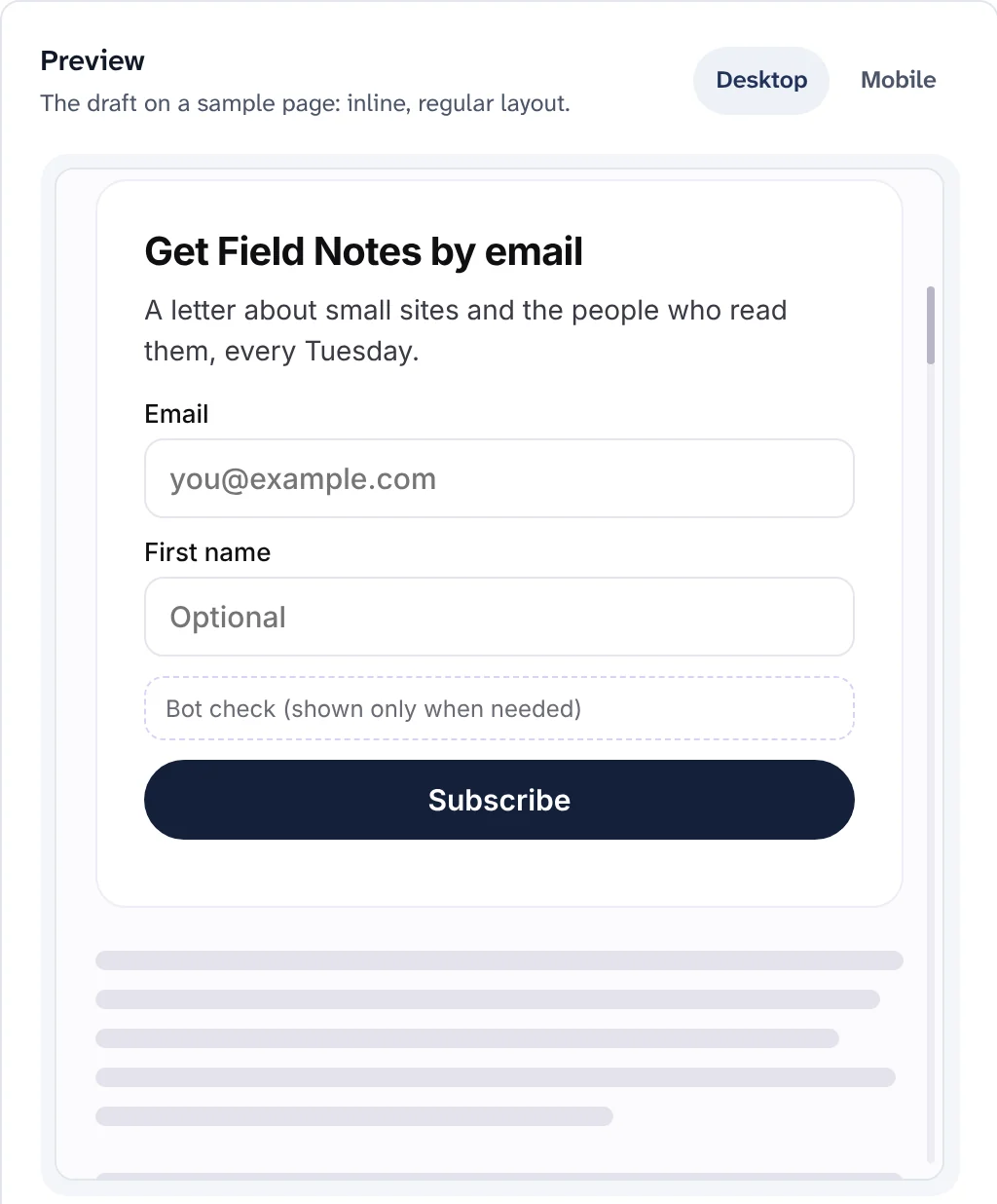
When an address on a paid plan bounces, Swarm lists it for you to decide and emails the owners, instead of quietly stopping the emails someone pays for.
Bounce rules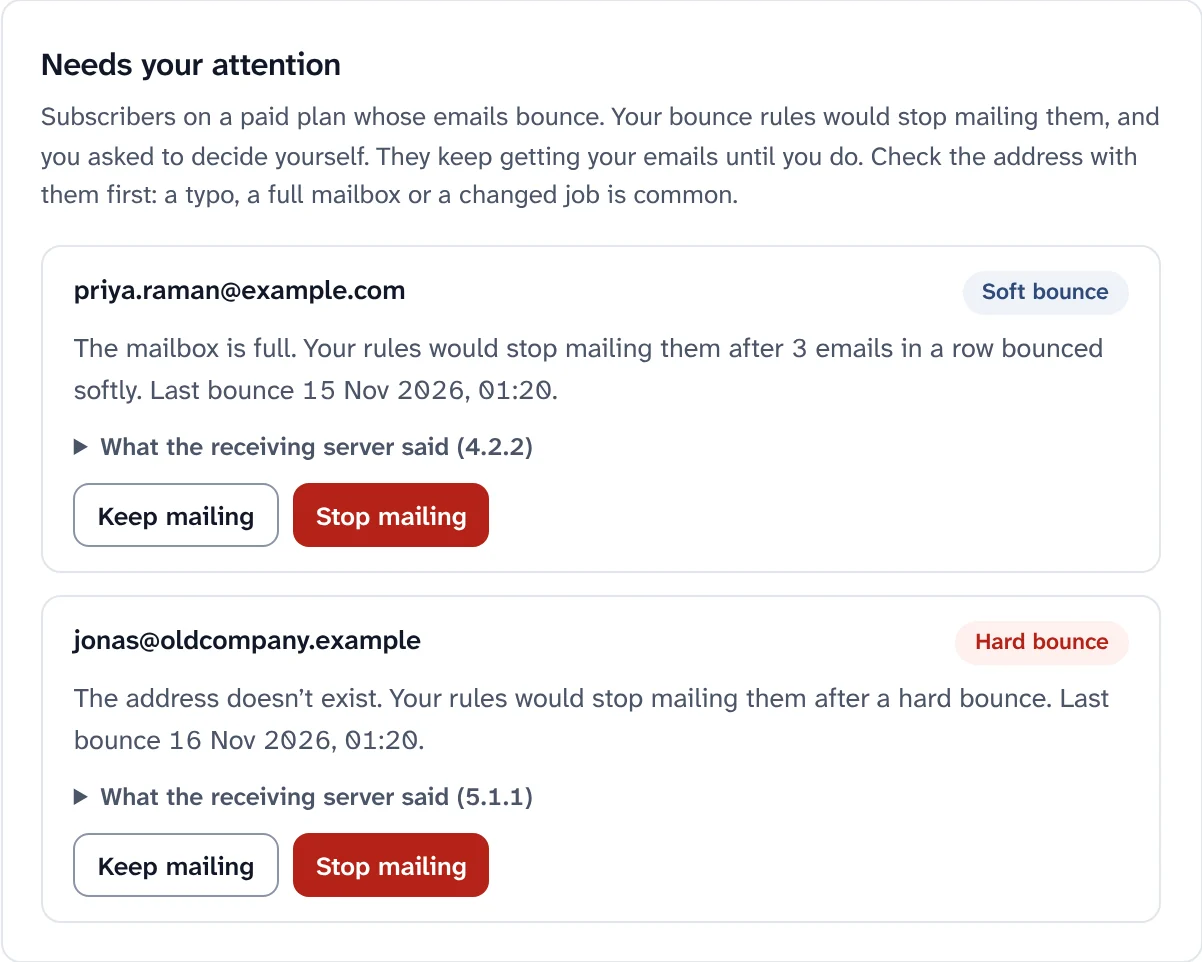
Bring readers in, keep them, and let the ones who want to pay you do it.
A visual builder with sends, delays, waits for an open or a click, branches, A/B splits, tags, fields and webhooks, plus recipes: welcome email, welcome series, win-back and more.
Automations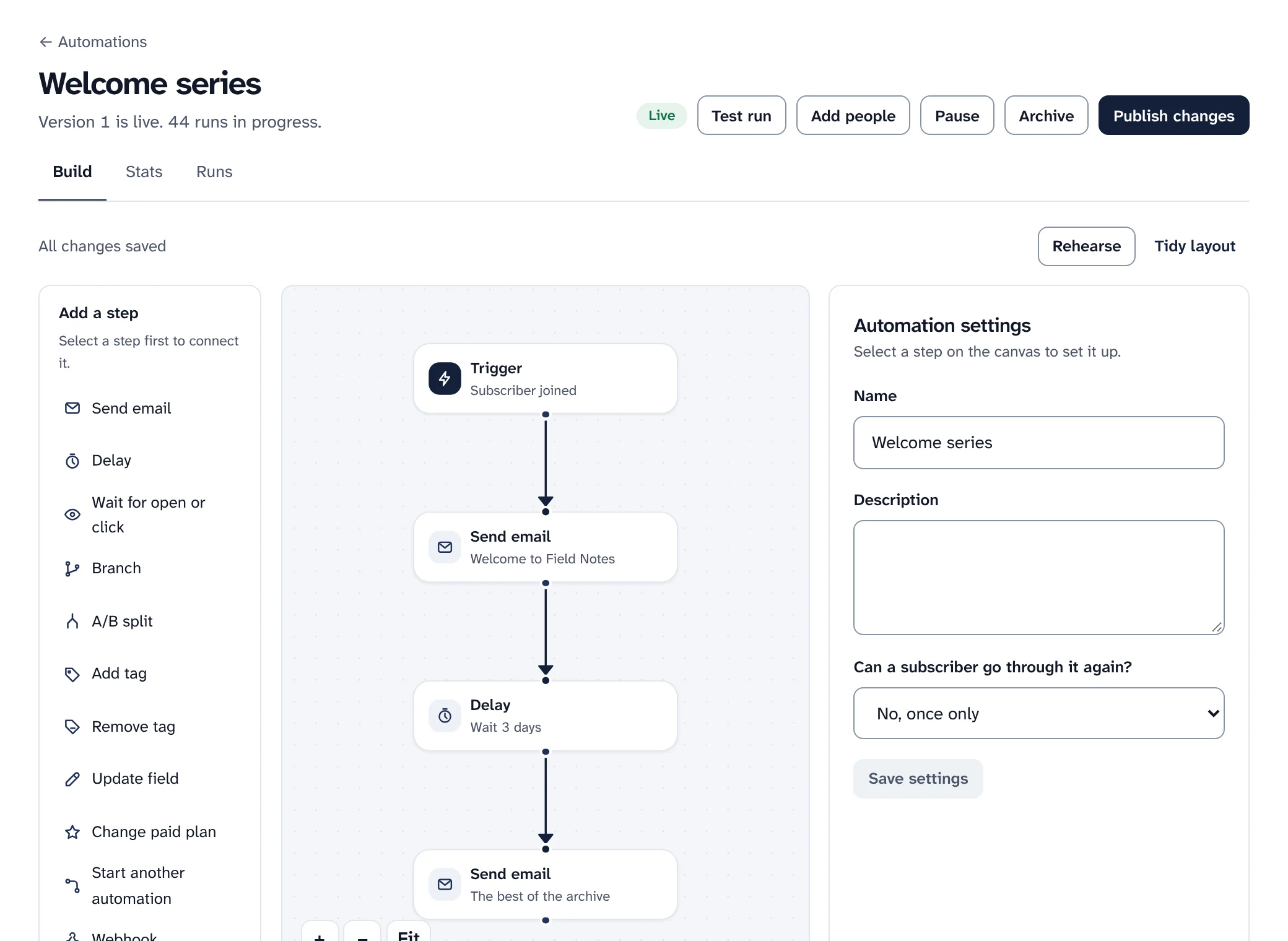
Referrals with rewards and milestones, polls and surveys, signup journeys and a link-in-bio page. Referral figures are sample data.
Referrals, polls and Link Hub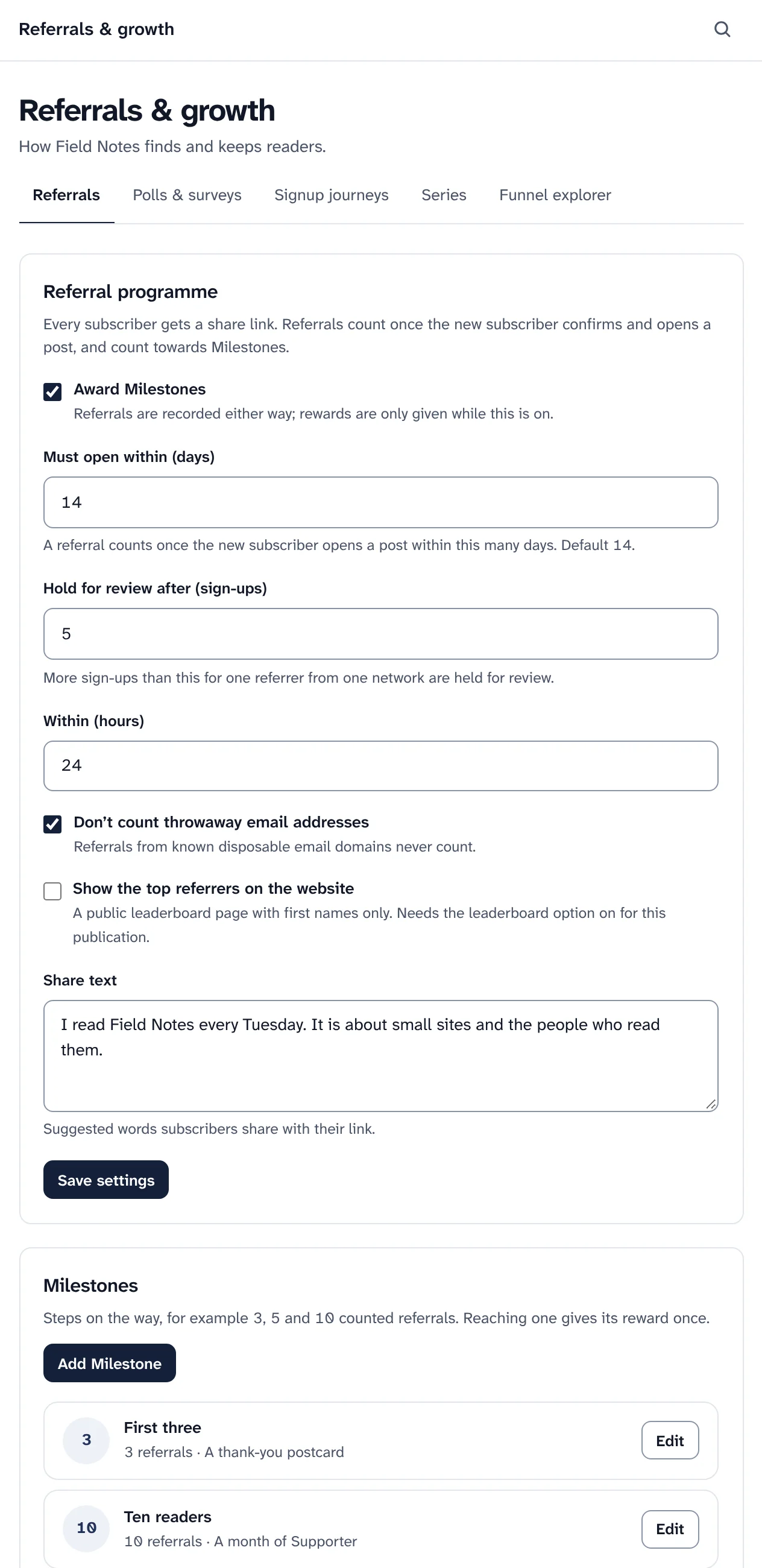
Paid plans with monthly and yearly prices, trials, coupons, gift subscriptions, pay what you want and a revenue dashboard. Stripe, with PayPal as a preview. Swarm takes 0%.
Paid subscriptions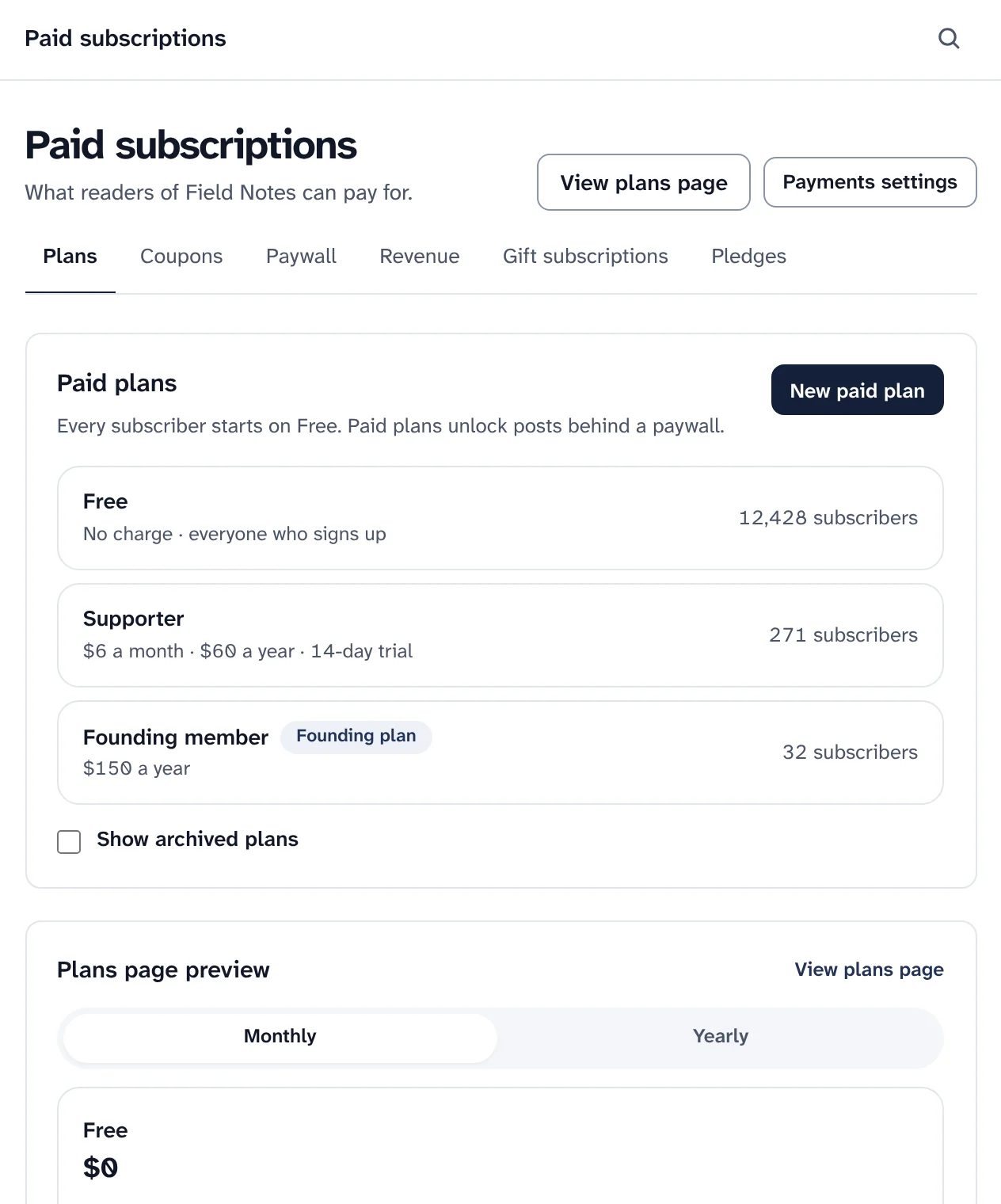
Put a paywall break in any post. Free subscribers get what is above it, paying subscribers get everything, on email and on the website.
The paywall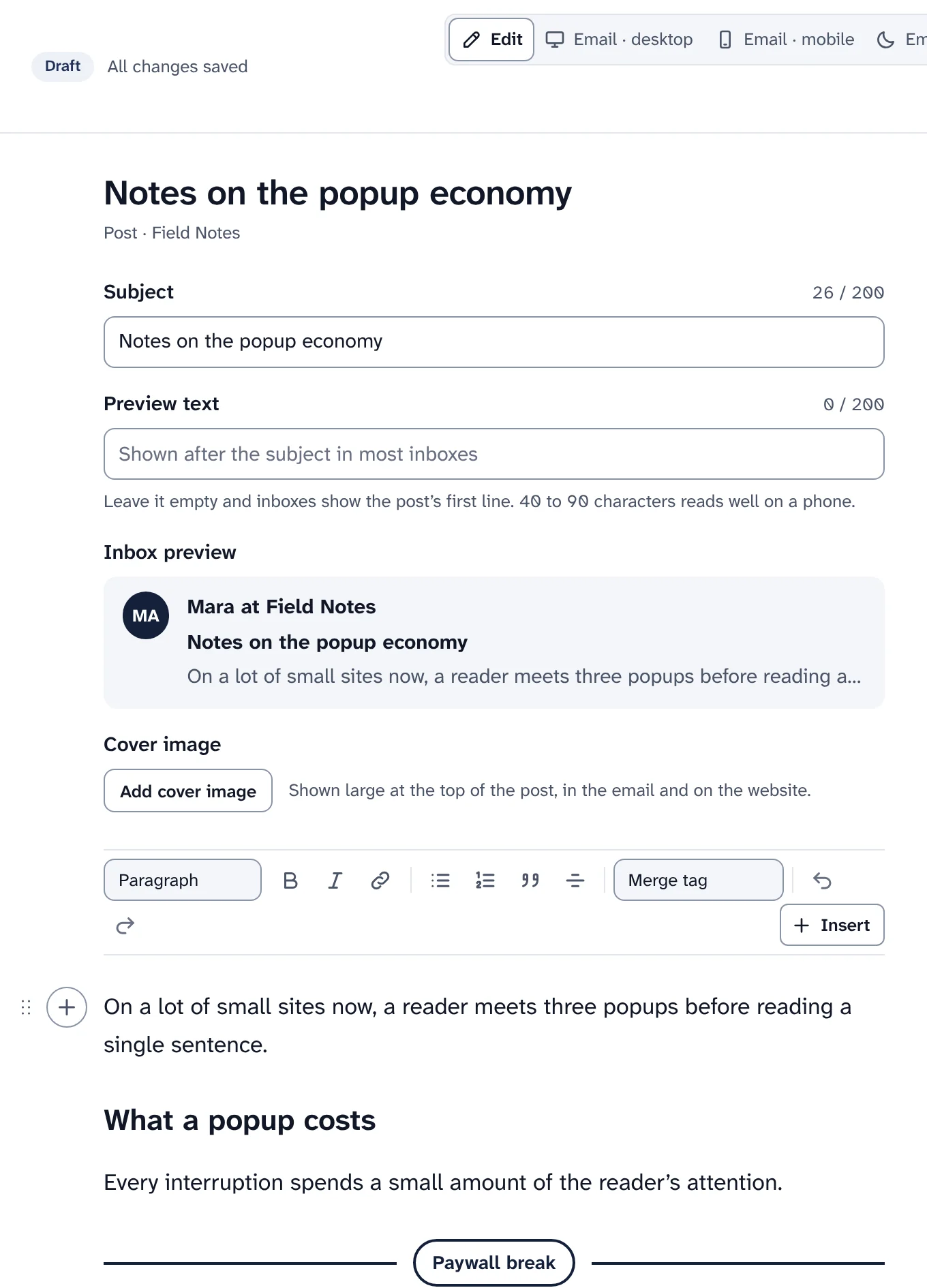
A website for every publication from the moment it is created, fast and private by default.
Gate, Letter, Magazine, Newspaper and Launch, plus a plain layout. A logo and an accent colour shared with your emails and forms, kept readable in light and dark.
Website templates
An archive, post pages, sections, search, custom and landing pages, RSS and JSON feeds, a sitemap, and your own domain. No third-party scripts unless you add them.
The websiteYou choose what is recorded, readers can choose for themselves, and the team has the controls it needs.
Open tracking, click tracking and reader profiles, each switchable per publication, and a reader's own "Don't track my opens and clicks".
Tracking switches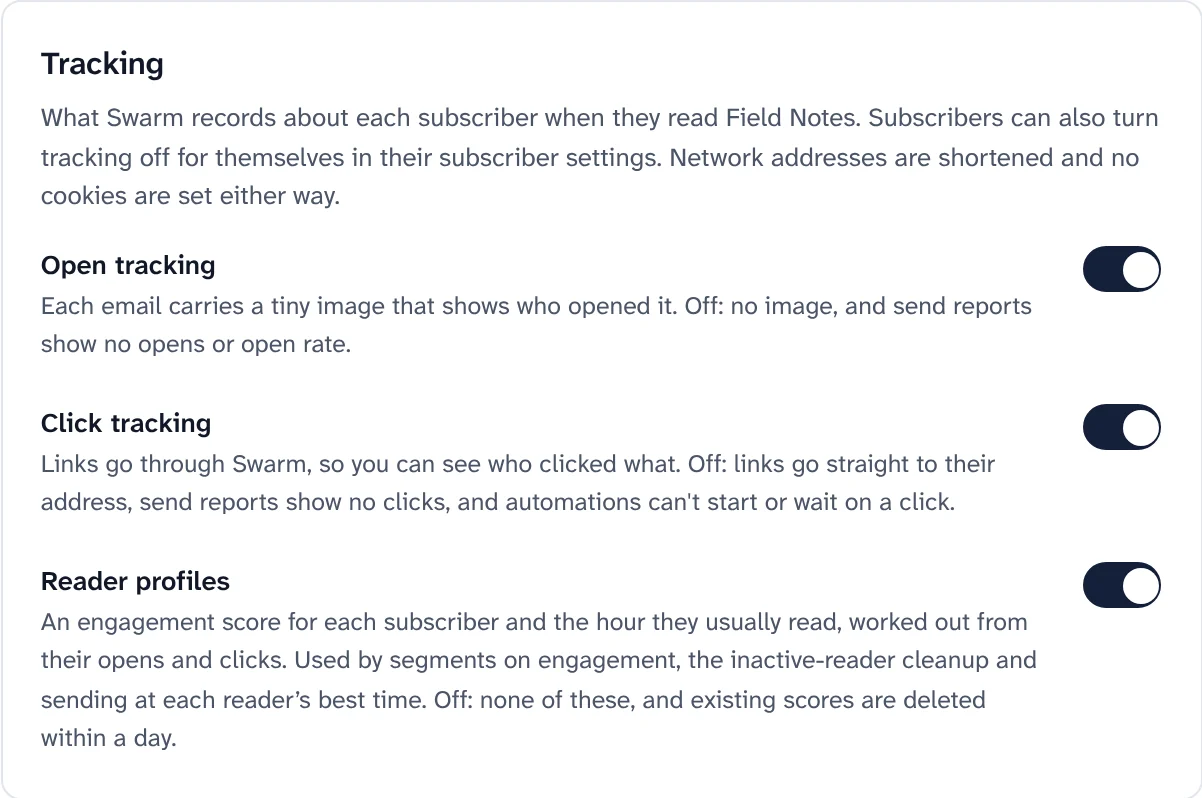
Choose 6, 13, 24 or 36 months. After that, deliveries, opens and clicks no longer name the person, and send reports keep their numbers.
Engagement history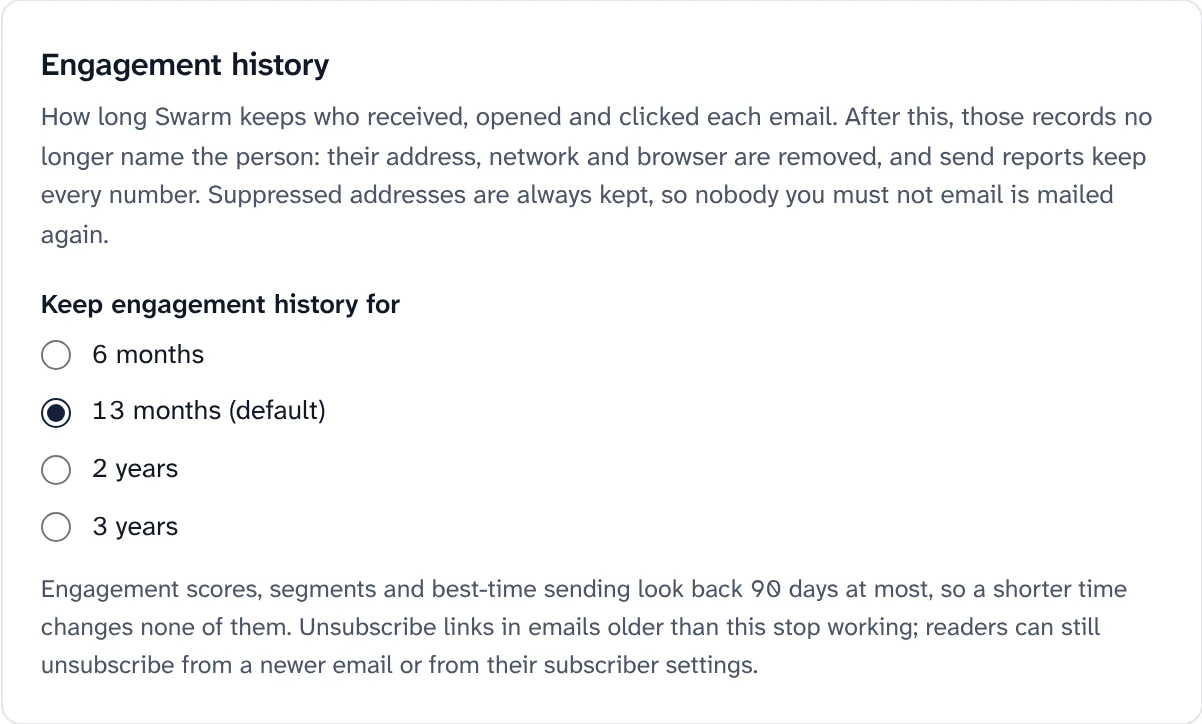
Roles from Viewer to Owner, an audit log, passkeys and two-step sign-in, sign-in links instead of passwords, and an invite-only install from the start.
Roles and sign-in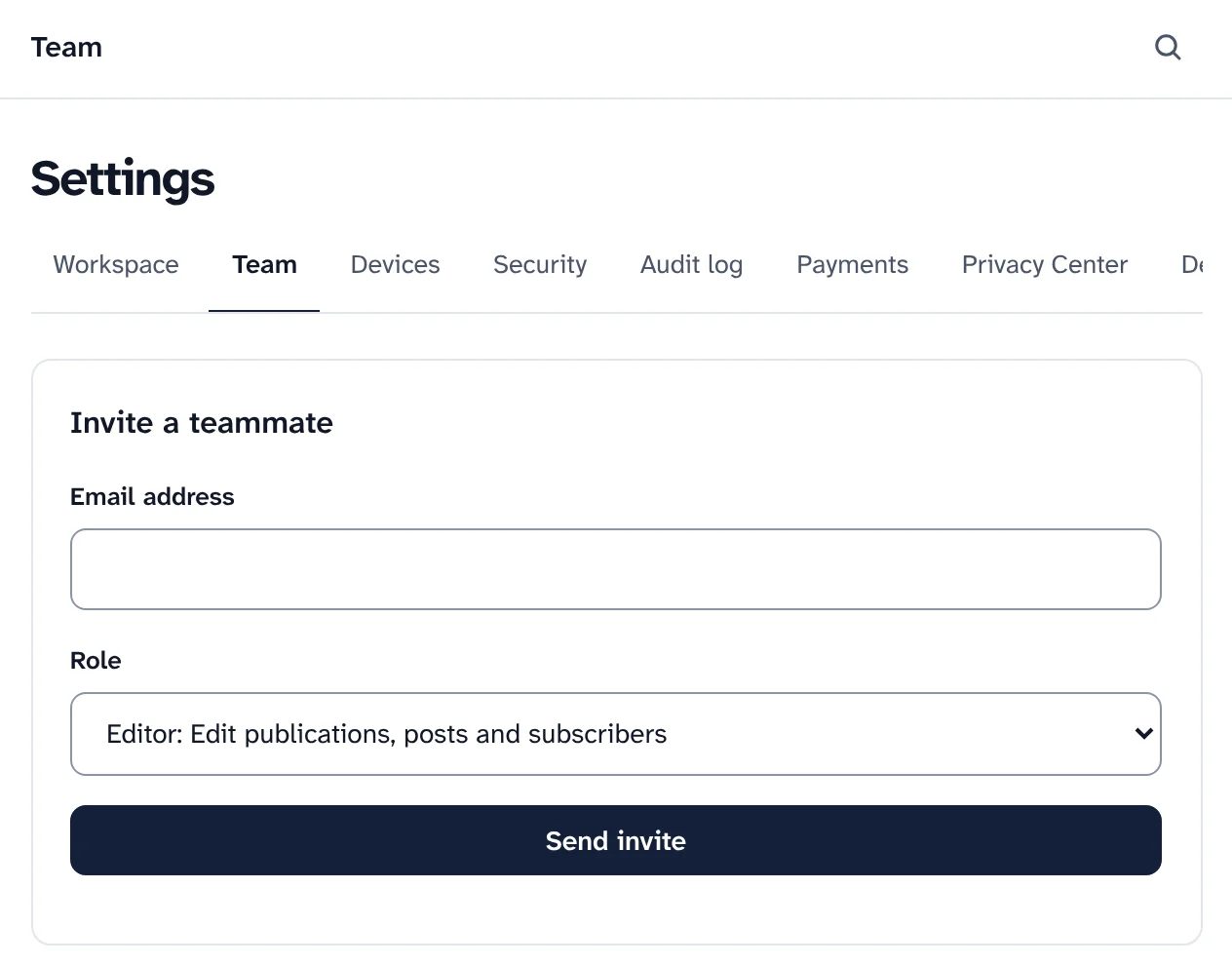
Subscriber export and erasure, consent records, optional encryption of sensitive fields, and a Privacy Center that lists every request with its due date.
Data requests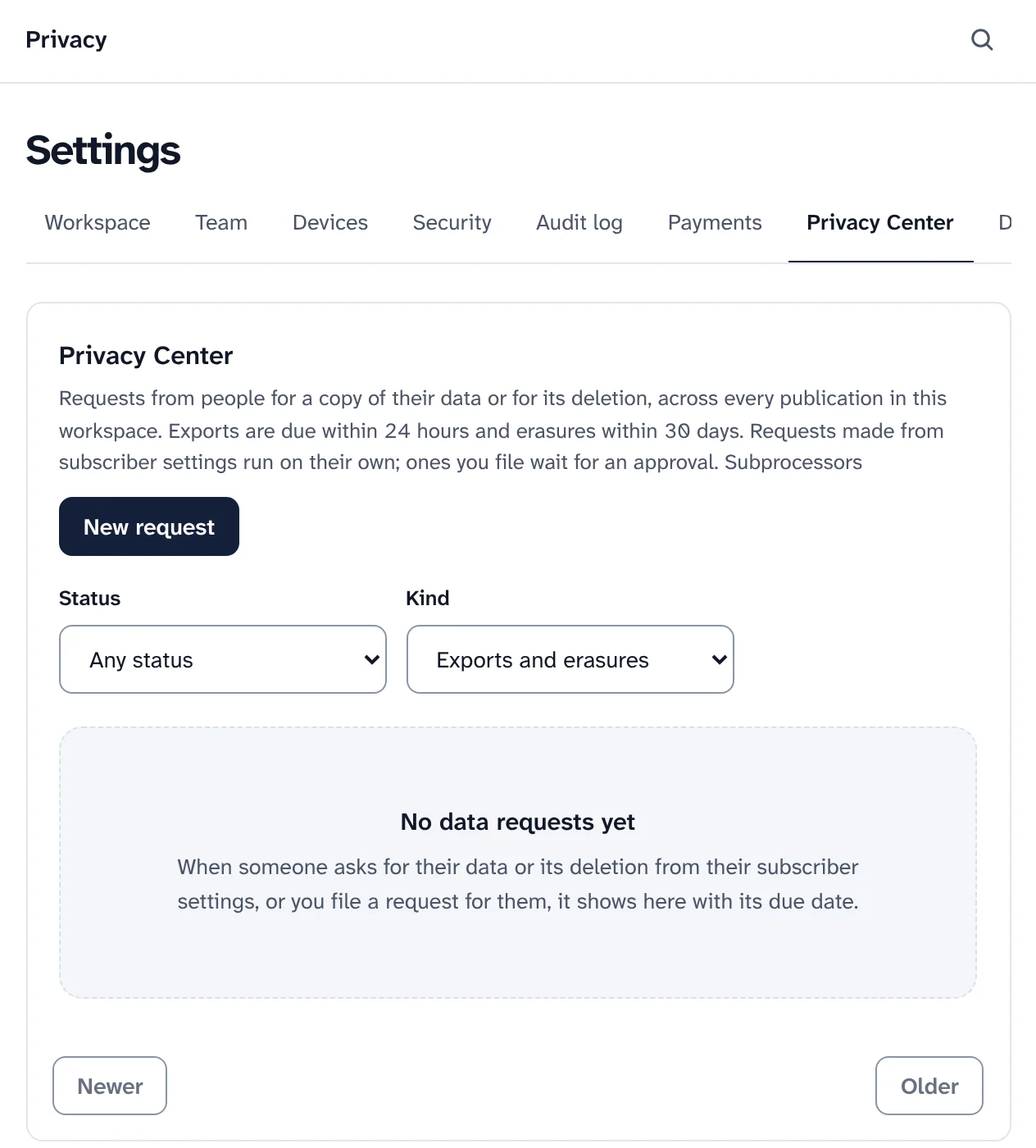
Build on Swarm, connect it to other tools, and run it from the command line.
A public API under /v2 with an OpenAPI document and a TypeScript SDK, signed webhooks with retries, an MCP server whose destructive tools wait for a person's approval, and a WordPress plugin.
# Add your Swarm to Claude Code
claude mcp add --transport http swarm \
  https://app.yourdomain.com/mcp \
--header "Authorization: Bearer sk_live_…"Check an install, update it, turn features on and off, or change email service, all from the command line on the computer you installed from.
Running Swarmpnpm swarm doctor
pnpm swarm update
pnpm swarm feature list
pnpm swarm mail switch <service>Install Swarm in one command. Every feature on this page comes with it, with no plan to upgrade and no share of what you earn.
Want to look first? pnpm swarm --dry-run shows every step and changes nothing.