Paid subscriptions, with 0% to Swarm.
Readers pay you through your own Stripe account. Swarm takes no share and adds no fee of its own; Stripe charges its usual fees. Plans, a paywall, coupons, gifts and a revenue dashboard are all in the dashboard.
-
Step 1
Connect your own Stripe account
Readers pay through the publication's own Stripe account, so the money goes straight to you. The simplest way: the owner of the install turns on Stripe with a restricted key in Settings, Instance, and a publication's owner adds a restricted Stripe key under Settings, Payments. No command line is needed.
- Only restricted keys are accepted, stored encrypted, and only their last four characters are ever shown. Swarm creates the Stripe webhook for you.
- Or Stripe Connect:
pnpm swarm enable paymentssets it up for the whole install. - Stripe Tax is optional for each publication, when the Stripe account has it set up.
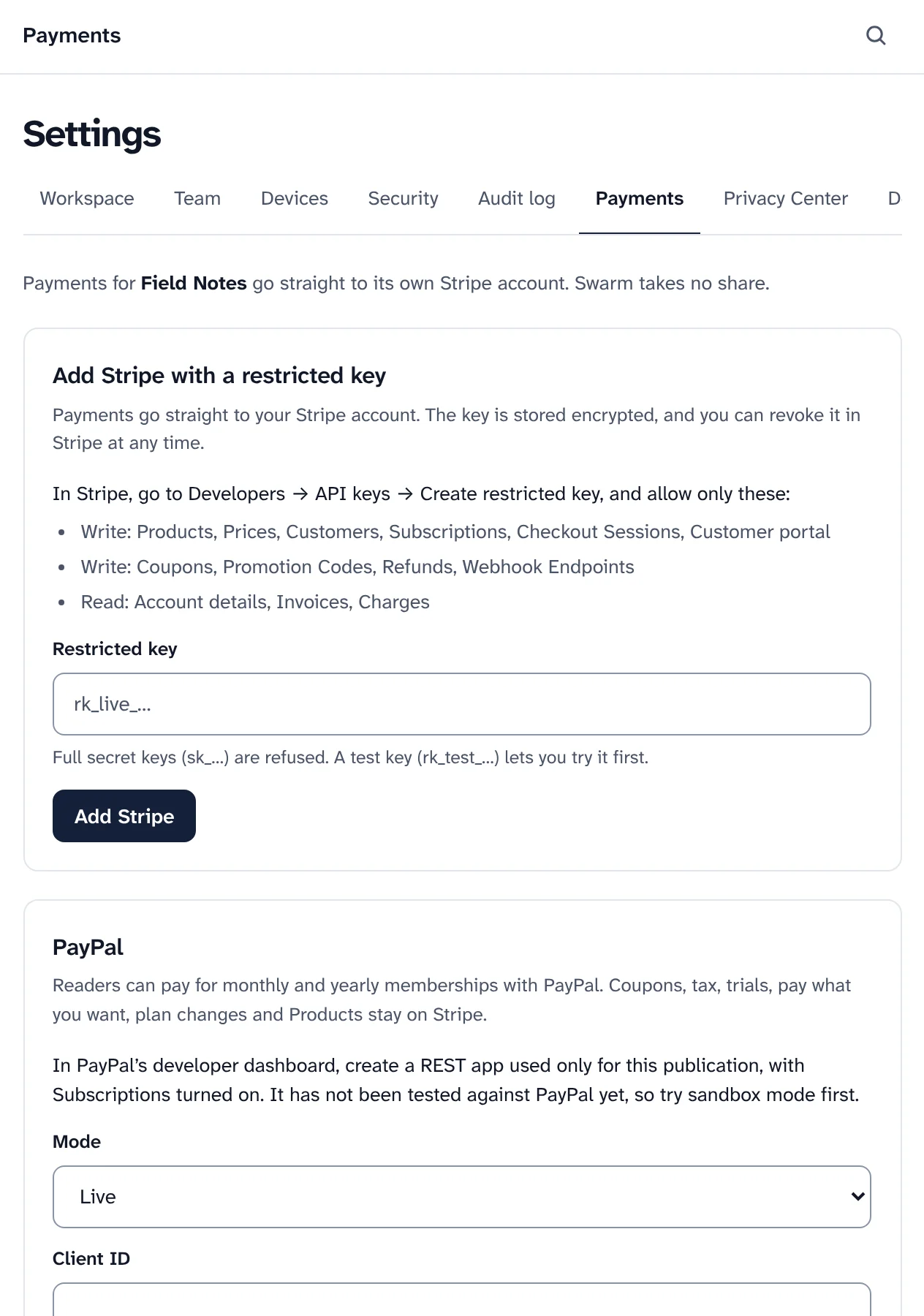
Settings, Payments: Stripe with a restricted key, and PayPal below it. -
Step 2
Create the plans readers choose from
Every publication has a free plan. Add paid plans with a monthly and a yearly price, a description and the benefits readers see on your plans page at
/subscribe.- A founding plan for your strongest supporters, priced at or above every other plan.
- Public or hidden: a hidden plan is offered by link only.
- Pay what you want, with the smallest amount you accept.
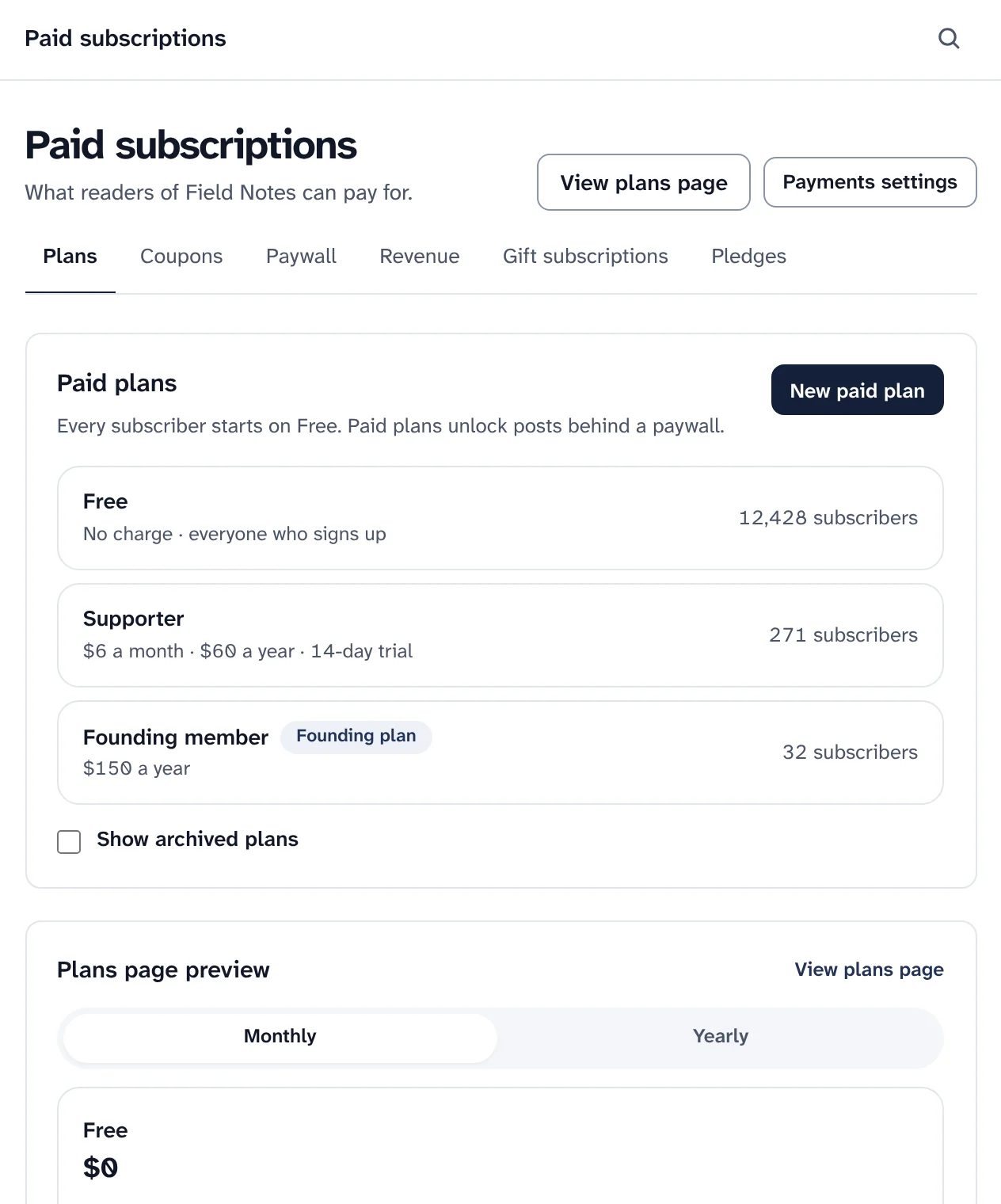
Paid plans and their subscribers. Prices belong to a sample publication. -
Step 3
Set prices and trials, and decide what a change does
Open a plan to change its name, description and benefits, its visibility and its free trial. Trials need a card and work once per address, so readers give their email before checkout.
- Changing a price makes a new price. Existing subscribers keep what they pay, or move to the new price on the date you choose.
- Grace for failed payments: access continues for a few days while the reader updates their card, then ends by itself.
- Readers manage their own billing from their subscriber settings, through Stripe's own billing page.
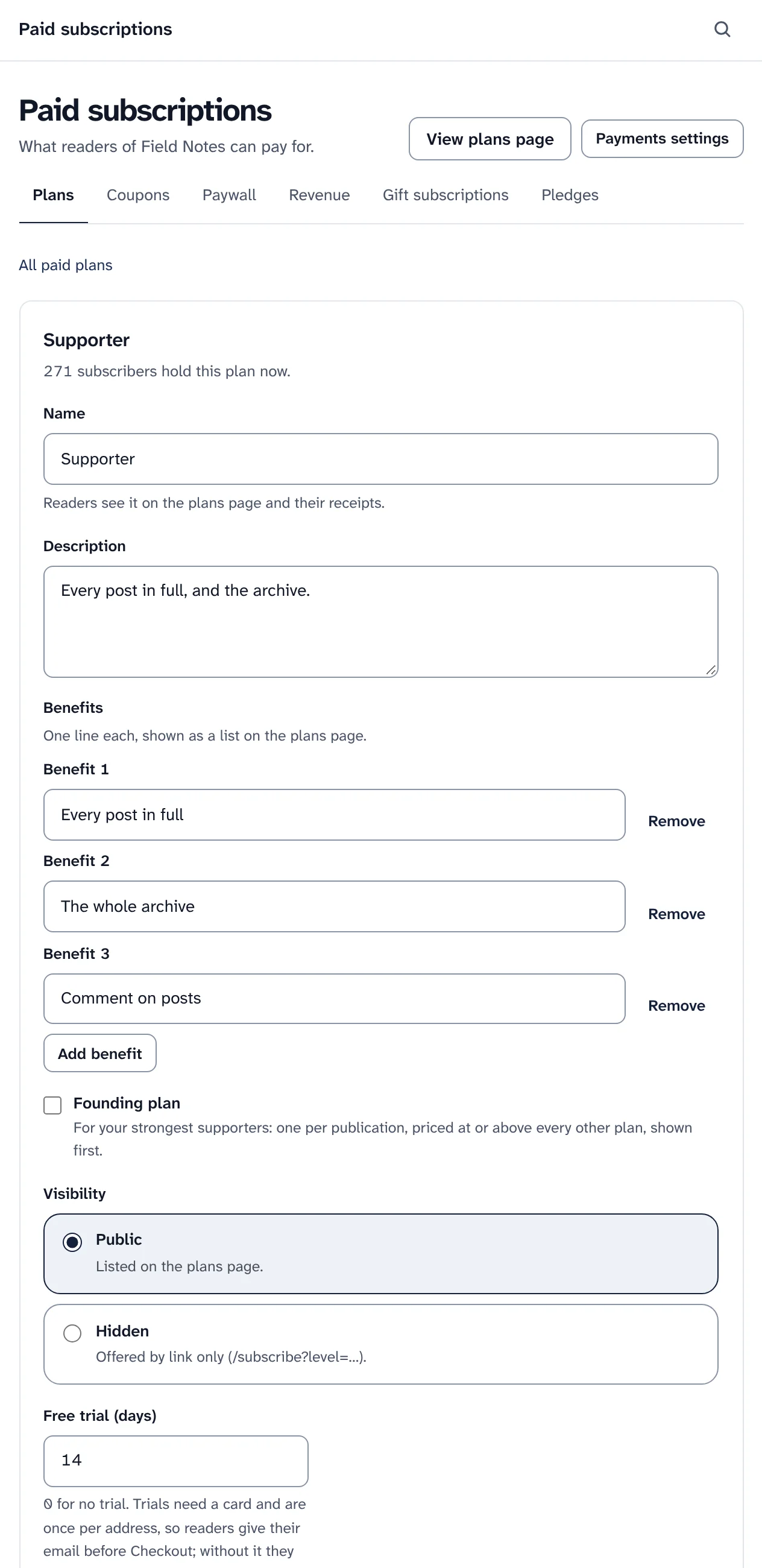
Editing a plan. Sample data. -
Step 4
Put a paywall in any post
Each post is Public, for Subscribers, or Paid. Put a Paywall break in the editor and everything above it is the free preview; without one, the site shows the first few blocks, never more than half the post. Paying subscribers get the whole post, by email and on the website.
- The same preview everywhere: on cards, in search results, in feeds and in what search engines see. Nothing shows more than the post page.
- Free reads: let readers without a plan read a few paid posts each week or month before the paywall stops them.
- Your words on the paywall, with your benefits and, if you like, a coupon. Readers sign in with a link by email; there are no passwords.
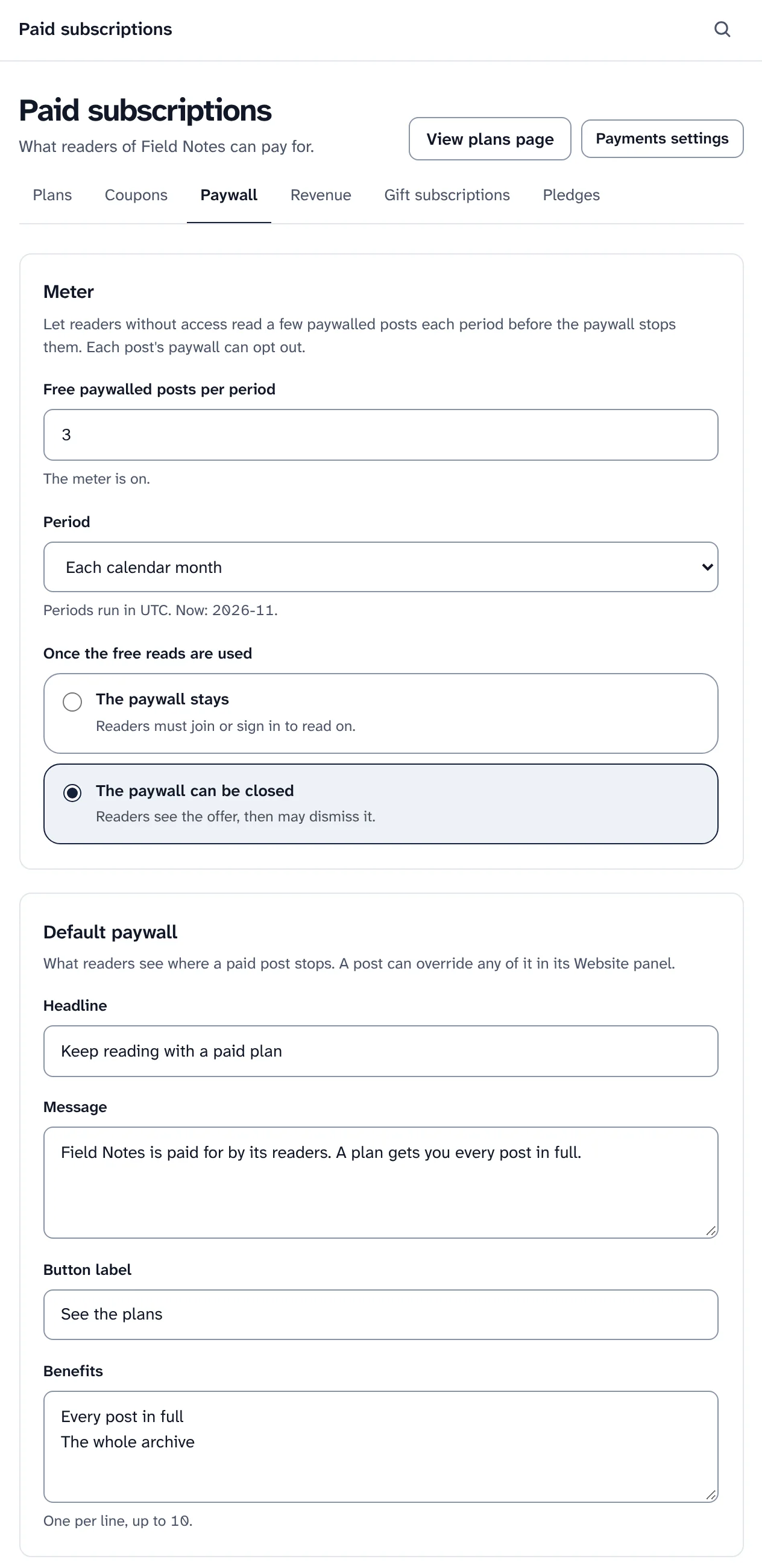
Free reads each month, and the paywall readers see. Sample data. -
Step 5
Coupons, gift subscriptions and pledges
A coupon takes a percentage or an amount off, once, for some months or for as long as the subscription lasts, for every plan or some. Limit how many times it can be used and until when, and show one inside the paywall.
- Gift subscriptions: readers buy a paid subscription for someone else, who claims it from an email link. Swarm sends the reminders.
- Gift a post: a subscriber can send someone a paid post with a gift link, which works for 30 days.
- Pledges: readers promise to pay before you start charging, and you tell them all when the plans open.
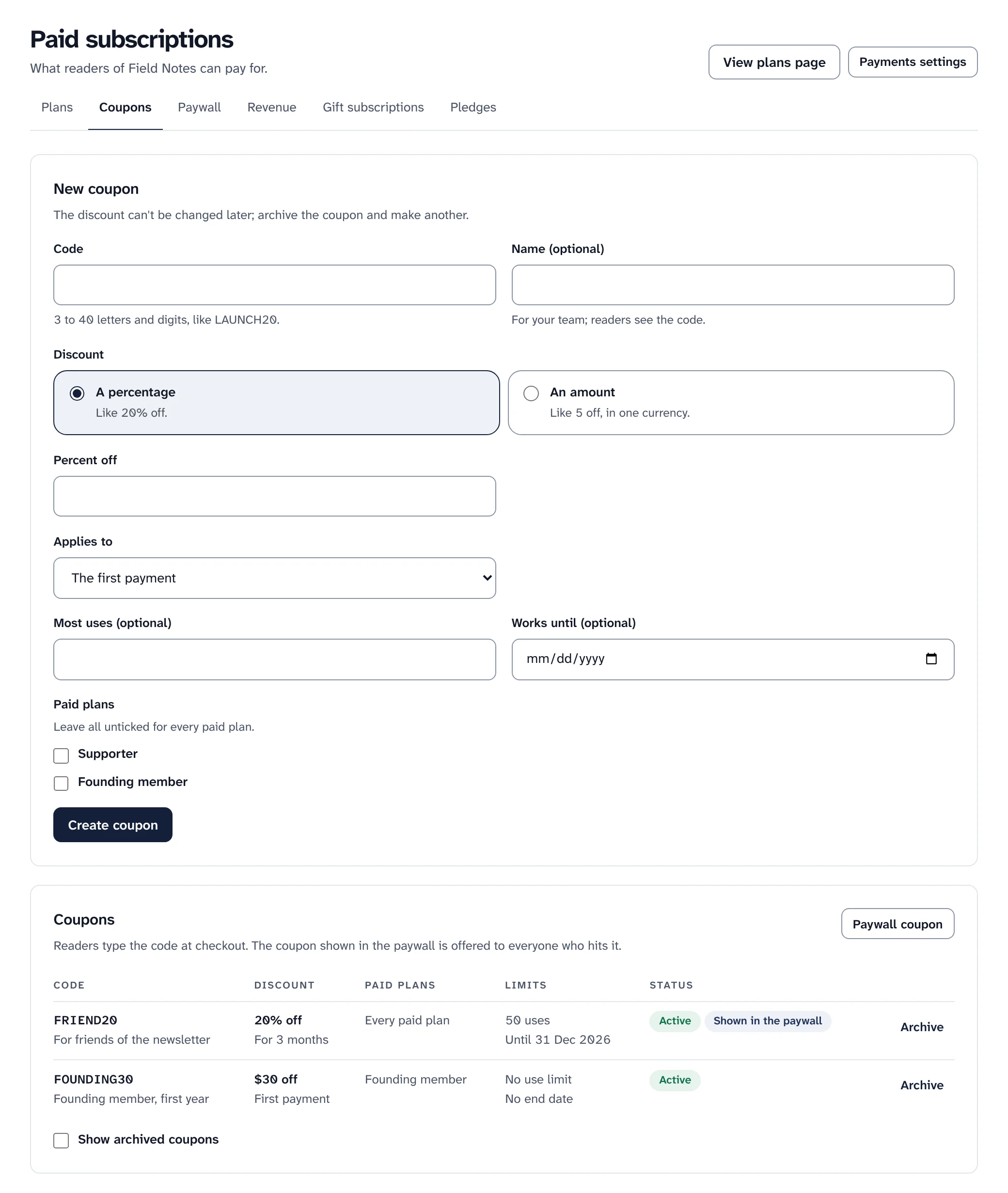
Two coupons, and the form for a new one. Sample data. -
Step 6
See revenue, churn and where paying readers come from
Revenue shows what paid subscriptions bring in each month now, how many readers pay, are on a trial or have complimentary access, how many stopped, and money in for each day of the range. Conversion by source shows which channels bring readers who go on to pay.
Monthly revenue counts paying subscriptions after their coupons, with yearly ones as a twelfth. Stripe remains the record for payouts and tax.
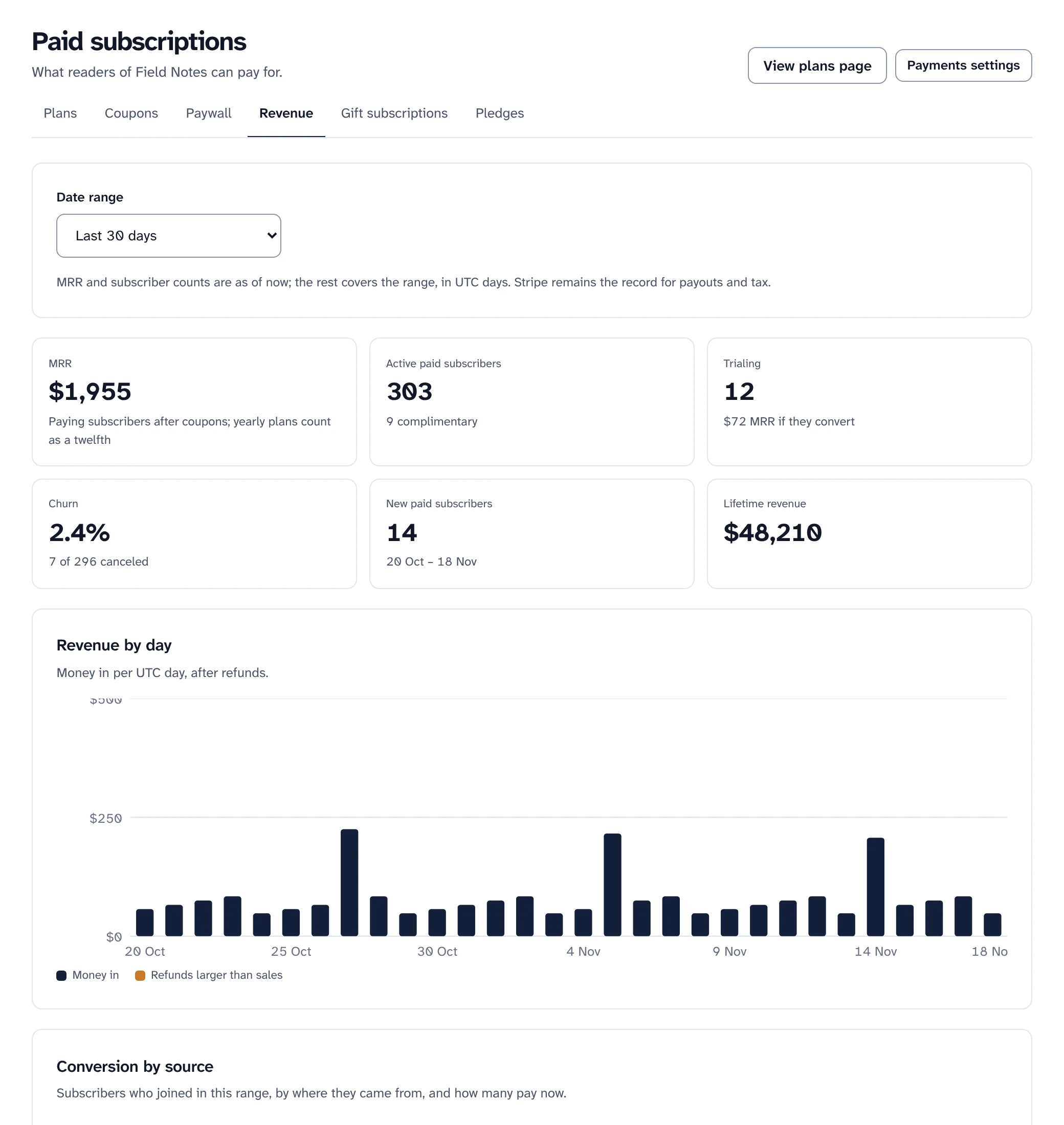
Revenue, churn and money in by day. Sample data.
What is tested, and what is a preview
Money needs care, so here is exactly where things stand.
- 0% to Swarm on every plan and every payment. Stripe charges its own fees on each payment.
- Automated tests cover payments on every change, with a stand-in for Stripe. A separate suite can run the subscription life against Stripe's test mode: trials, failed payments, cancelling, refunds, a price change, a coupon and a gift subscription.
- PayPal is a preview for monthly and yearly plans at a fixed price, off at install. It has never run against PayPal itself.
- Products, for selling digital files such as a PDF, start off: they have not been tried with real money yet.
Not yet run with a real account: Stripe with a publication's own restricted key has been tested only against a stand-in for Stripe. Try it in Stripe's test mode first.
Moving paid subscribers from another platform depends on your payment provider, and Swarm's guides do not cover it.
Keep reading
Keep what readers pay you.
Install Swarm, connect your own Stripe account, and publish your first paid plan.
Want to look first? pnpm swarm --dry-run shows every step and changes nothing.