You choose what is recorded, and readers can choose too.
Swarm runs in your own Cloudflare account, with no Swarm company in the middle. Turn tracking off for a publication, let readers opt out for themselves, limit how long history names a person, and answer data requests from one place.
-
Step 1
Switch tracking on or off for each publication
When open tracking is on, each email carries a tiny image; when click tracking is on, links go through your link domain first. Either way Swarm records the time, the first part of the reader's network address, their network and browser family. No cookies are set, and privacy proxies and link scanners are labelled, never counted as people.
All three switches are on for a new publication. Only admins and owners can change them, every change is in the audit log, and a switch turned off applies at once, also to emails already sent.
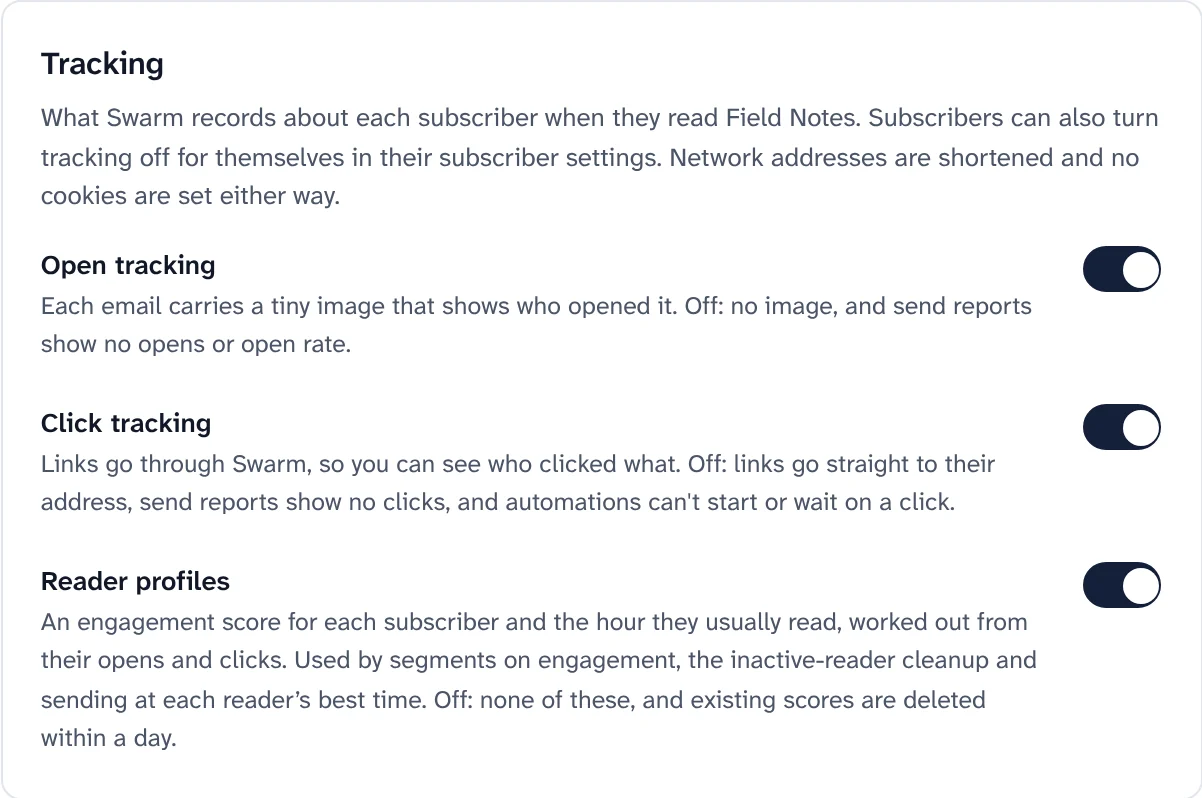
The three tracking switches, under Sending and delivery. What each tracking switch does when it is off Switch When it is off Open tracking No image in emails. Send reports show "Not tracked" instead of an open rate. Reader profiles turn off too Click tracking Links go straight to their address and nothing passes through Swarm. No clicks or click map, and automations can't wait for a click Reader profiles No engagement scores and no best sending hour; existing ones are deleted. Best-time sending uses the time you chose, and the inactive-reader cleanup does not run -
Step 2
Let each reader say no for themselves
The settings page linked from every email has Don't track my opens and clicks. When a reader ticks it, their emails carry no image and plain links, and the opens and clicks recorded for them so far are deleted.
- No score, no best hour, never unsubscribed as inactive, and never picked for "send again to people who didn't open".
- Reports stay true: past send reports keep their numbers, and new ones leave them out of the open rate and say how many there were.
- Unsubscribe links keep working, and the reader can untick it again whenever they like.
Screenshot to comeThe page a reader opens from any email, with their own tracking choice.Subscriber settings, with "Don't track my opens and clicks". -
Step 3
Choose how long history names a person
Under Settings, Privacy, Engagement history sets how long deliveries, opens, clicks and per-send copies of addresses stay tied to a person: 6 months, 13 months (the default), 2 years or 3 years. There is no "keep forever": nothing in Swarm looks back further than 90 days.
Past the limit, every number on a send report stays the same. The person's activity no longer lists those emails, and unsubscribe links in emails that old stop working; readers can use a newer email or their settings page.
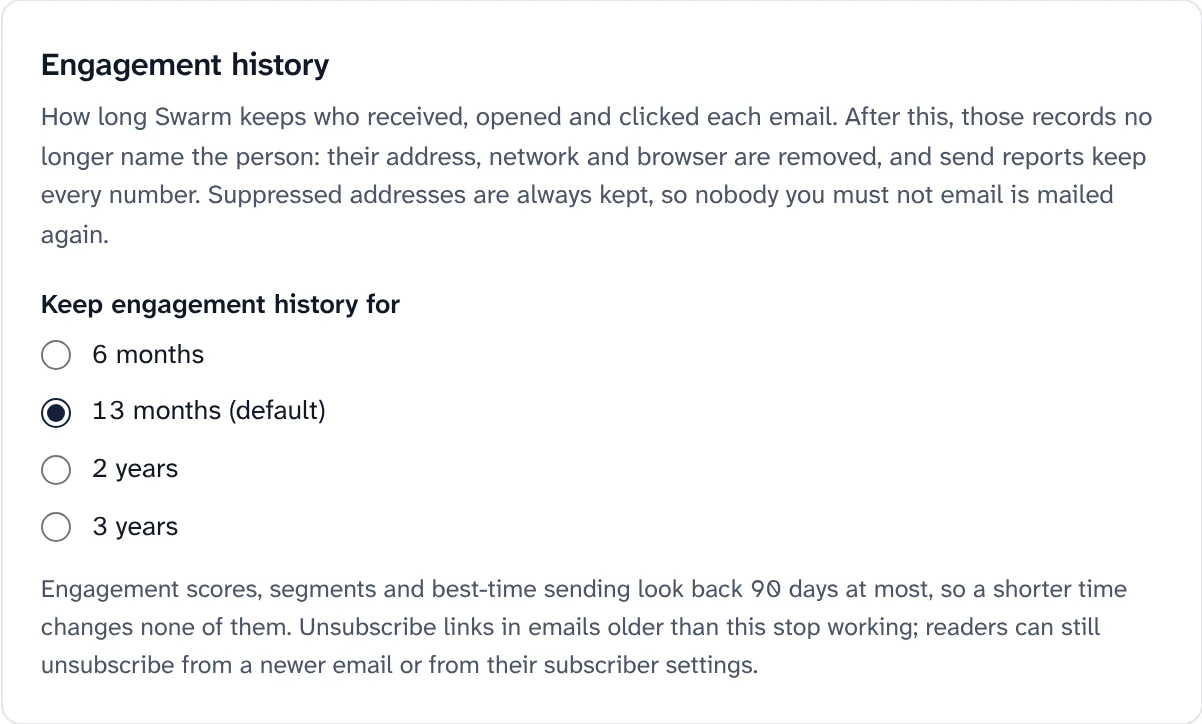
How long engagement history names a person. What happens to history past the limit Record What happens Deliveries The subscriber, the address, the message id and any error are removed; status and times stay Opens and clicks Network and browser details are removed; the row stays, so link counts stay Per-send copies of a post Deleted Soft-bounce records Deleted after 30 days whatever the setting Blocked addresses Never touched: they are how Swarm keeps not mailing someone -
Step 4
Answer data requests from one place
Readers ask for a copy of their data, or for its deletion, from their settings page. You can file a request for them too, when one arrives by email or letter. The Privacy Center lists every request with its due date: a copy within 24 hours, a deletion within 30 days.
- A copy is a file of everything Swarm holds on that address in the workspace, sent as a download link that works for 7 days.
- A deletion removes the address from every publication of the workspace with its history, and keeps only a hash so it is never added again.
- Confirmed from the inbox: a deletion asked for from the settings page waits for a confirmation link, so someone holding a forwarded email can't erase a reader.
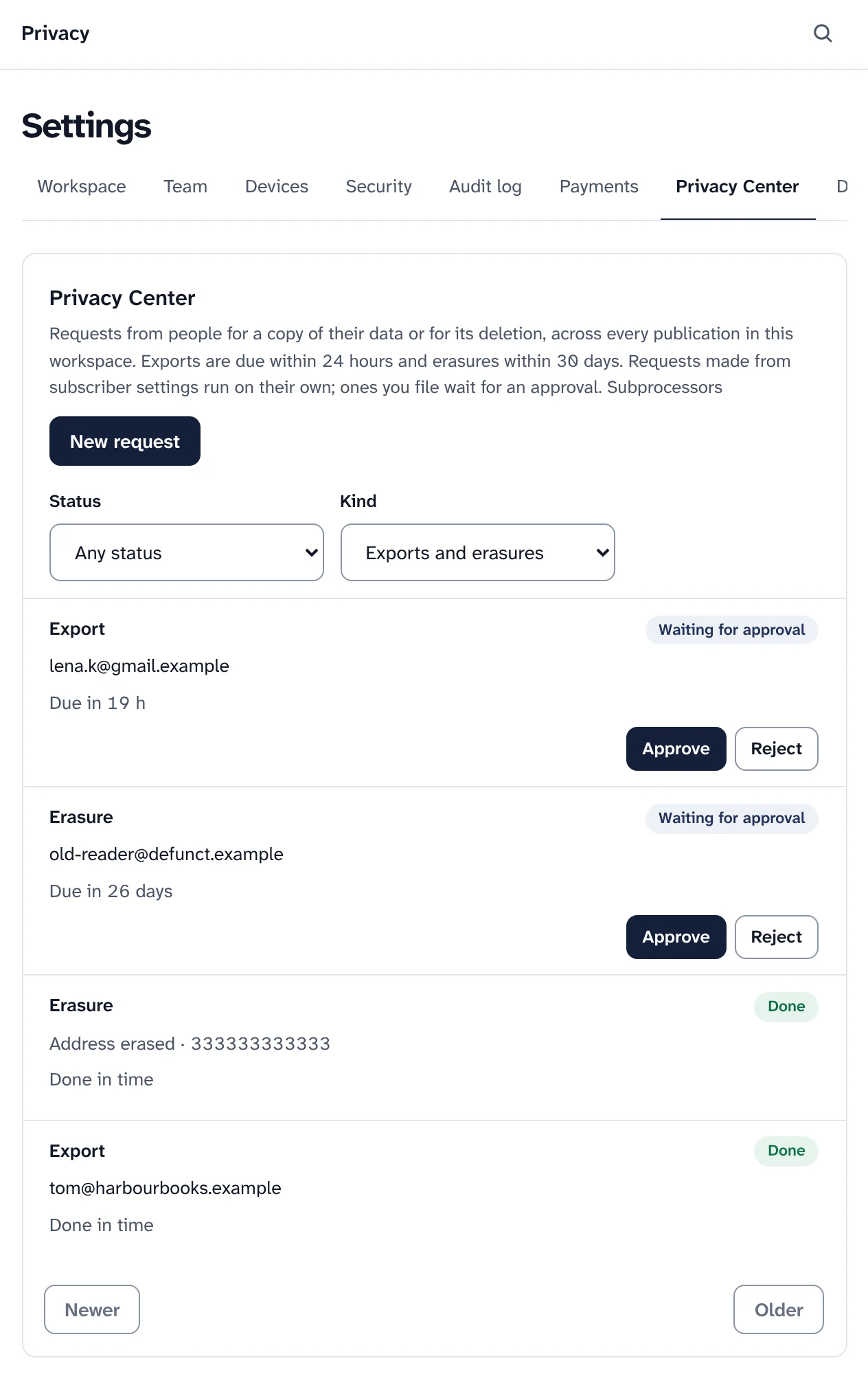
The Privacy Center, with requests waiting and done. Sample data. -
Step 5
Keep proof of consent
For each subscriber Swarm keeps the date they agreed, the date they confirmed, and the exact wording and version of the form they saw. Signup forms can ask for consent with a checkbox, in your own words and with a link to your privacy notice.
- Confirm opt-in: the link in the email opens a page and only its button confirms, so mail scanners can't confirm people.
- Imports you vouch for leave a consent record saying who vouched. Imported people who never confirm are deleted after 30 days.
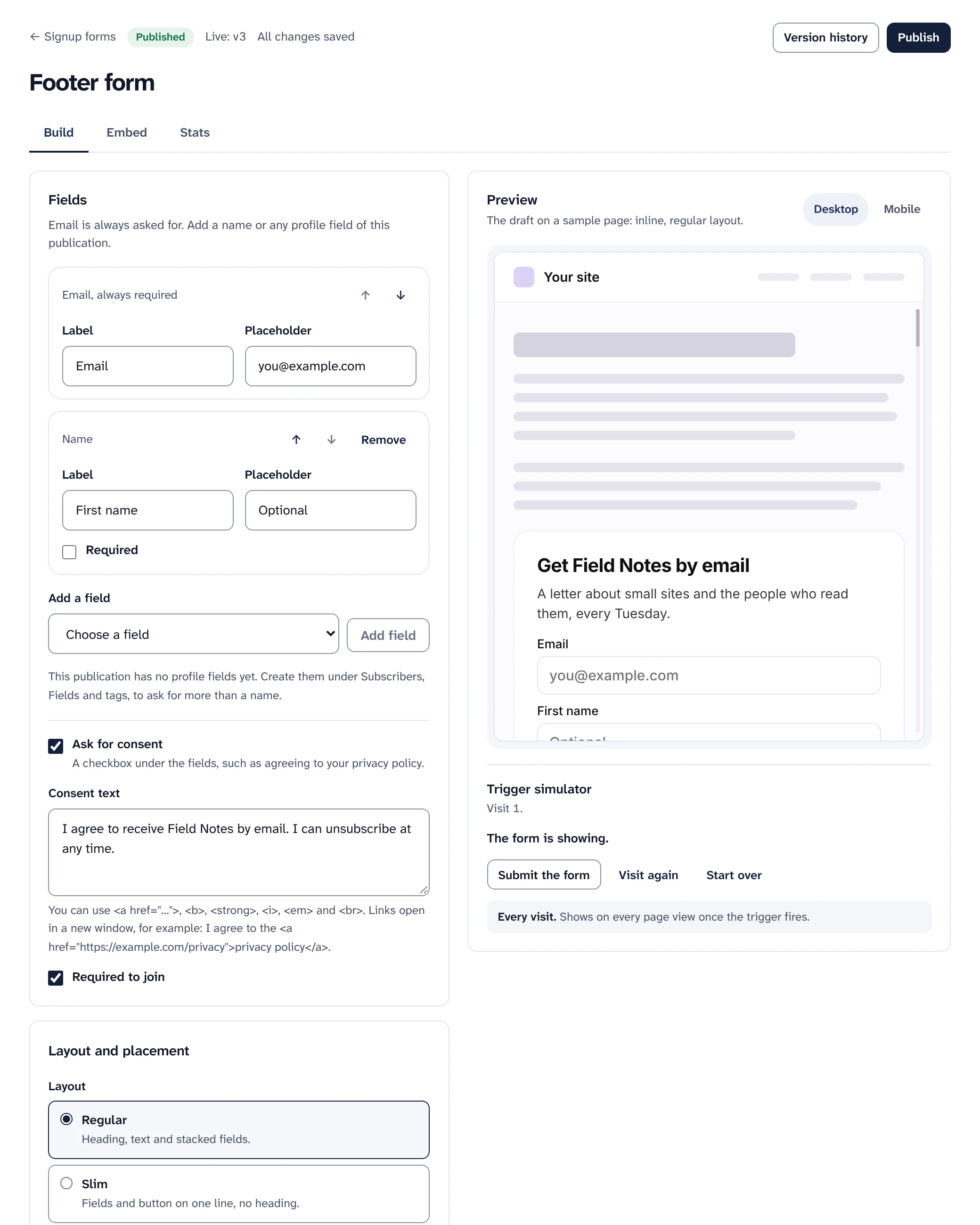
Asking for consent on a signup form. Sample data. -
Step 6
Encrypt what is sensitive
A profile field can be encrypted when stored, for a birthday, a phone number or anything you would rather not keep in plain text. Segments can then only test whether the field is set.
- Only what is needed: network addresses are shortened to their first three parts everywhere Swarm keeps one, and sign-in links and session cookies are stored only as hashes.
- Keep your keys: encrypted fields can only be read with the keys in the
.swarm/folder the installer makes. Back it up.
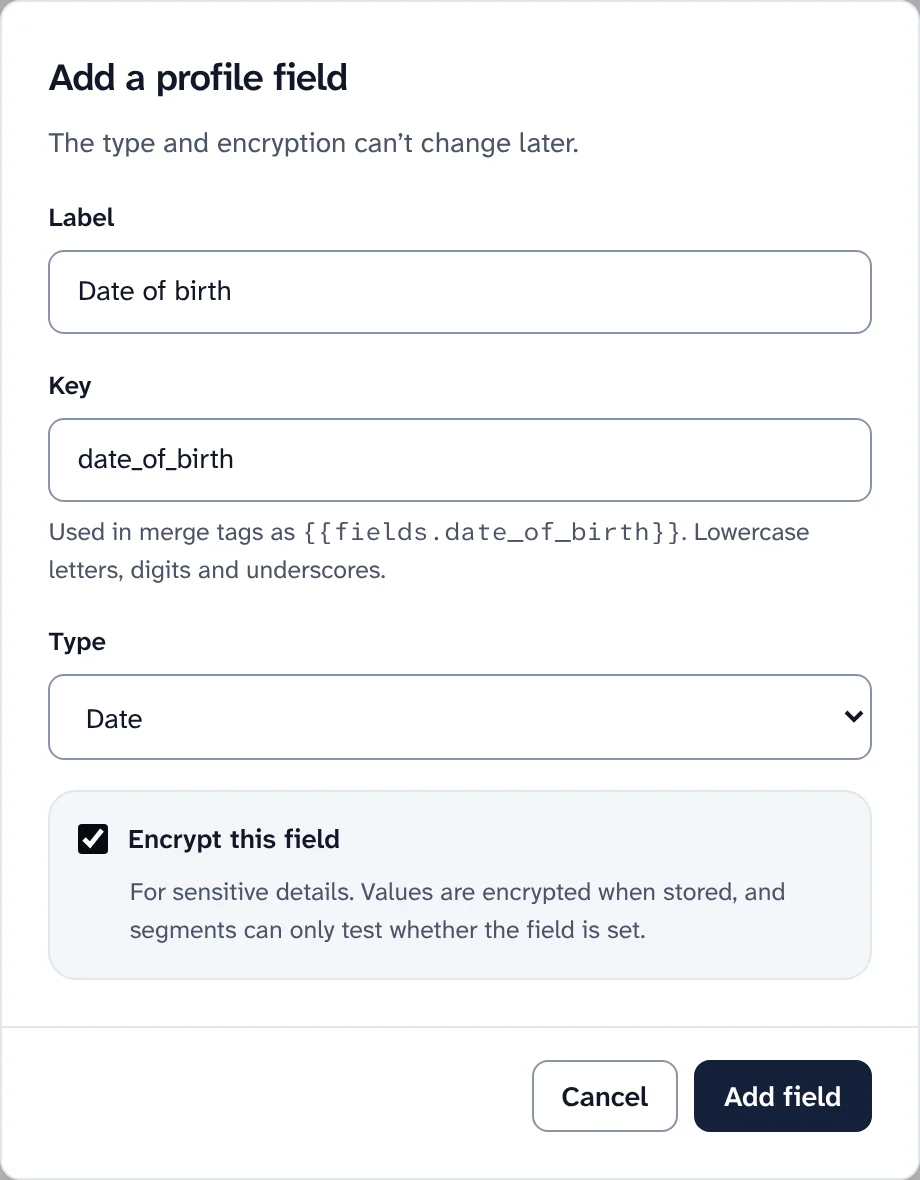
A profile field encrypted when stored. -
Step 7
A website that sets no tracking cookie
Swarm's own website analytics use no cookies and store daily totals. Publication websites load nothing from other companies unless you add it under Cookies and code, where analytics and marketing tools wait for each reader's agreement in the cookie popup.
If an owner marks a known tracking tool as strictly necessary, Swarm asks them to confirm and records it in the audit log. Most cookie rules say such tools must wait for the reader.

The cookie popup for code you add to a website.
The GDPR, in practice
Swarm is software you run yourself. Your data sits in your own Cloudflare account and goes only to the services you connect: your email service, and Stripe or PayPal if you sell. The GDPR guide explains who is responsible for what, with a record of processing to copy and a privacy notice checklist.
- You are the controller for your subscribers. If you run Swarm for other people, you process their subscribers' data for them and need an agreement with each.
- A list of subprocessors says what each service receives and where, and every publication website links to it.
- Every data request step is written to the workspace's audit log, without the address.
What Swarm does not do for you: choose your lawful basis, write your privacy notice, sign agreements with your services, or delete data held by them: your email service's logs, Stripe records, files teammates downloaded, or your backups.
It does not keep data in the EU by itself either: where the database lives depends on how you set it up. This is practical help, not legal advice.
Keep reading
Privacy that starts with where the data lives.
Install Swarm on your own Cloudflare account, then choose for each publication what it records and for how long.
Want to look first? pnpm swarm --dry-run shows every step and changes nothing.