Find the addresses that will bounce, before you send.
Swarm can check your subscribers' addresses with DeBounce. Each address gets a green, orange or red check at signup, on import, when someone is added and across your whole list, so fewer emails bounce and mailbox providers keep trusting you.
-
Step 1
Set it up once, with your own DeBounce key
DeBounce is an email verification service. The person who runs your Swarm sets it up once for the whole install: create a DeBounce account and buy credits there, copy the API key from DeBounce's API settings, then run one command and paste it.
- The key stays a secret of the workers. It is never typed into the dashboard and never stored in the database. The installer checks it with DeBounce, keeps it in
.swarm/and redeploys the workers that need it. - Your credits, your choice. On the DeBounce card under Apps, instance admins choose which workspaces may use them: one by one, or every workspace on this Swarm.
pnpm swarm doctorreports whether the key is set and how many credits are left.
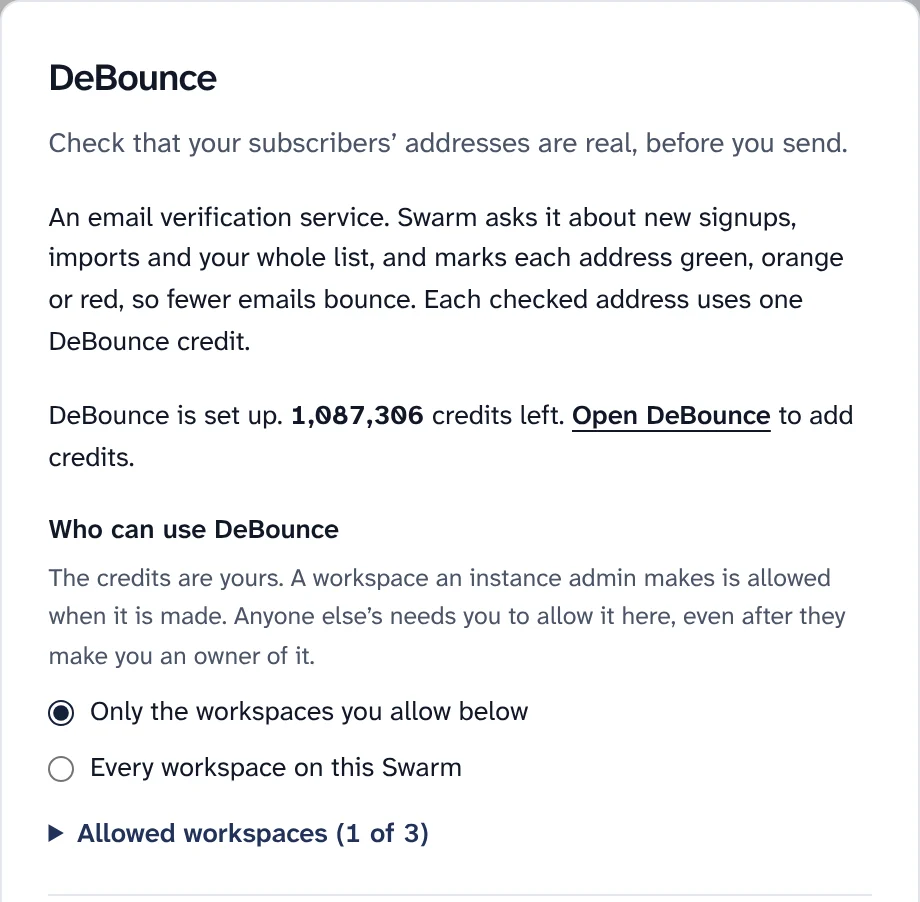
The DeBounce card: the credit balance, and who may use the credits. Sample data. - The key stays a secret of the workers. It is never typed into the dashboard and never stored in the database. The installer checks it with DeBounce, keeps it in
-
Step 2
Choose what happens to each colour
Every checked address gets a colour: green, orange or red. On the DeBounce card, admins set what each colour does for each place an address comes from. The defaults follow DeBounce's own advice: accept-all and unknown results are real people more often than not, so only red is turned away.
Tags are named
email-green,email-orangeandemail-red. A result counts for 6 months by default; after that it shows as old, and the next check of your list asks again.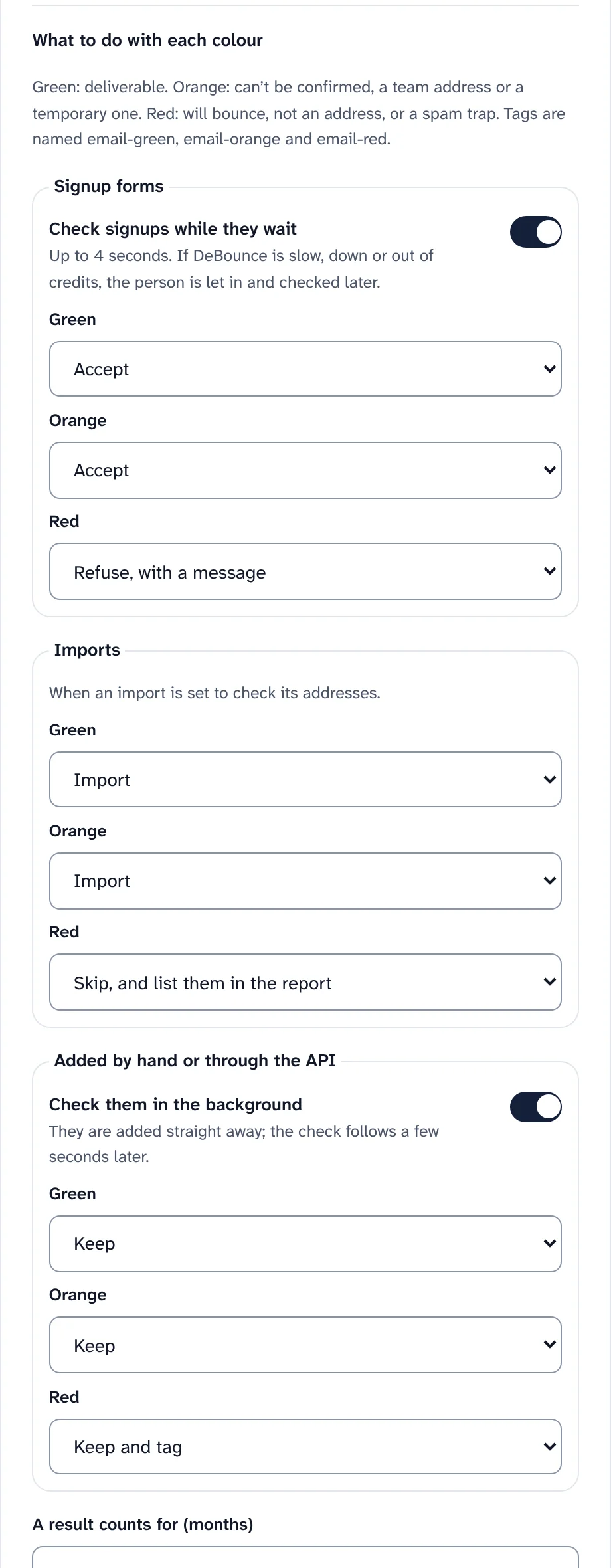
What each colour does, for signups, imports and people added by hand. What each colour does by default Where from Choices By default Signup forms Accept, accept and tag, ask them to confirm by email, refuse with a message Green and orange accepted, red refused Imports Import, import and tag, import as pending to confirm by email, skip and list in the report Green and orange imported, red skipped Added by hand or through the API Keep, keep and tag Green and orange kept, red kept and tagged email-red -
Step 3
At signup, a typo gets a second chance
A new signup is checked while the person waits, at most about 4 seconds. An address that will bounce is turned away with a clear message, and when DeBounce has a better spelling, the form offers it: "Did you mean jan@gmail.com?" fills the field in.
- Bots never use your credits: the check runs after the form's other checks, the bot check included.
- No signup is lost because of DeBounce. If it is slow, down, out of credits or busy, the person is let in and stays "not checked" until a later check of your list.
- It gives nothing away: a refusal only says the address can't receive email, never whether it is already on your list.
Screenshot to comeA signup form offering a corrected address after a red check.A signup turned away, with "Did you mean" and the suggested spelling. -
Step 4
On import, leave out the addresses that will bounce
On the review step of an import, tick Check addresses during import. It shows the most credits the check can take: one per new address, fewer once Swarm's free checks and recent results are taken out.
- New addresses first: confirming the import checks them, the import screen says how far it is, and the import starts when it is done.
- Red is skipped and listed under "Email check" in the import's summary. Addresses already on your list are not checked by an import.
- Out of credits? The import shows Resume the check, or Import without checking the rest.
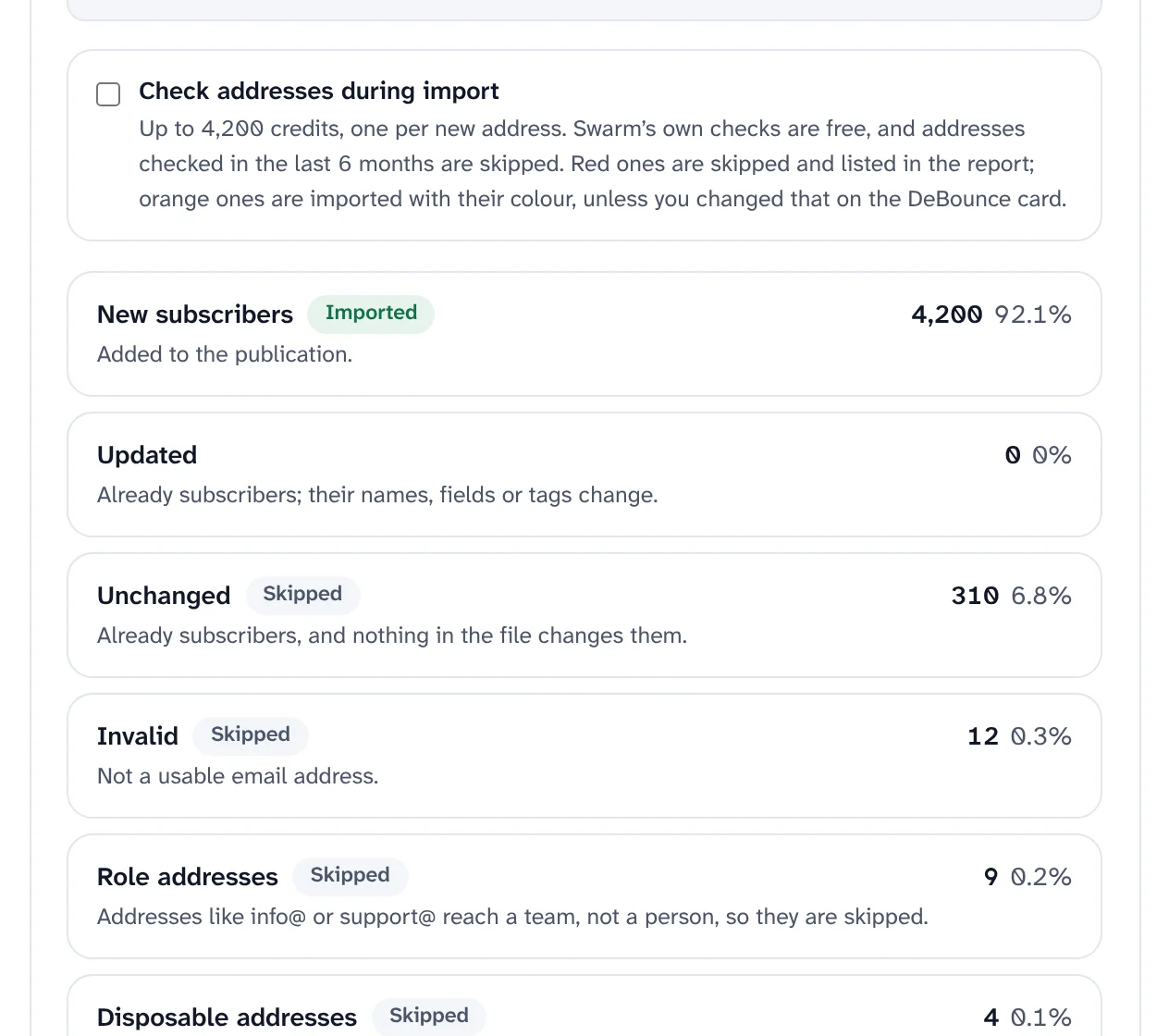
Check addresses during import, on the review step of an import. Sample data. -
Step 5
Check your whole list, with the cost shown first
On Subscribers, admins choose Check addresses: this publication, every publication in the workspace (an address in two publications is checked once), or one segment. Count addresses sends nothing to DeBounce. It shows the plan: how many different addresses, how many were checked recently, how many Swarm settles for free, the credits the rest need, and your balance.
- In parts of 5,000, one part at a time, because DeBounce checks one list at a time per account. You can close the screen: the check carries on.
- Stop and resume. Stop sends no further part. Out of credits pauses the check; add credits in DeBounce and choose Resume.
- One check at a time in a workspace. A check of 100 addresses or fewer asks DeBounce one address at a time.
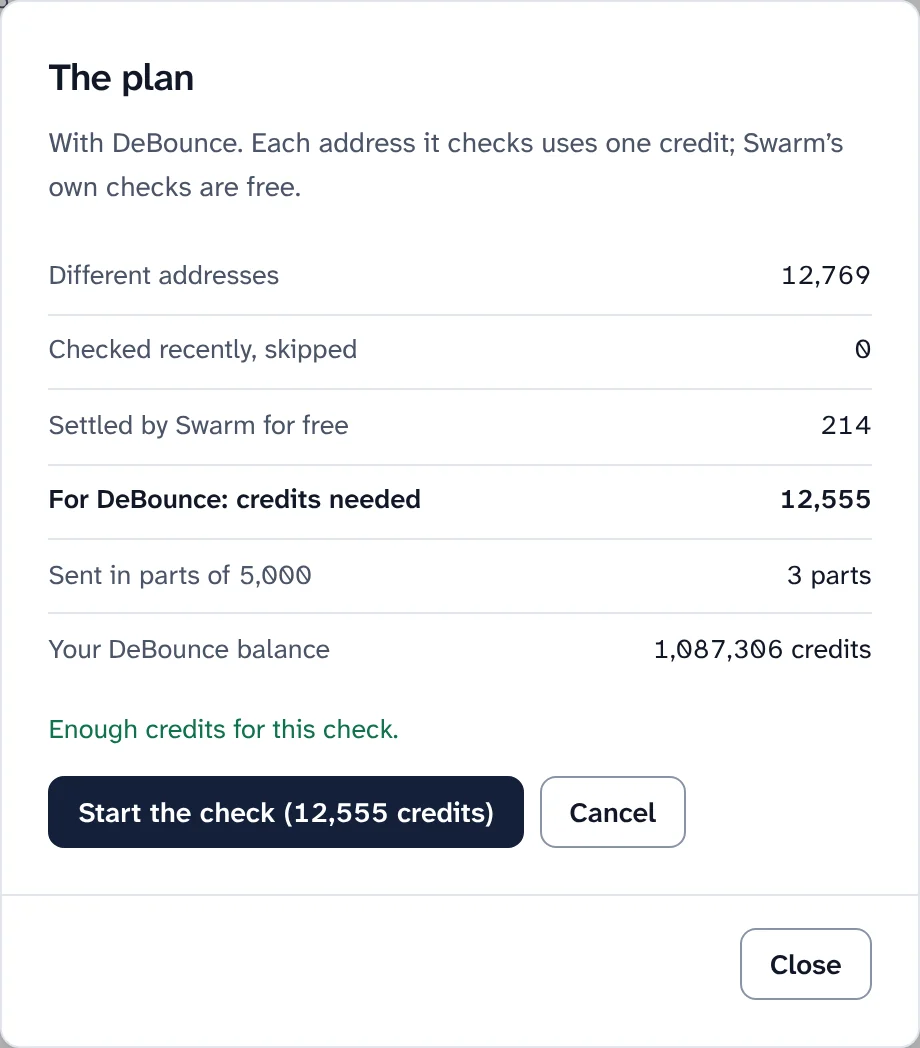
The plan before a check starts: nothing is sent to DeBounce until you start it. Sample data. 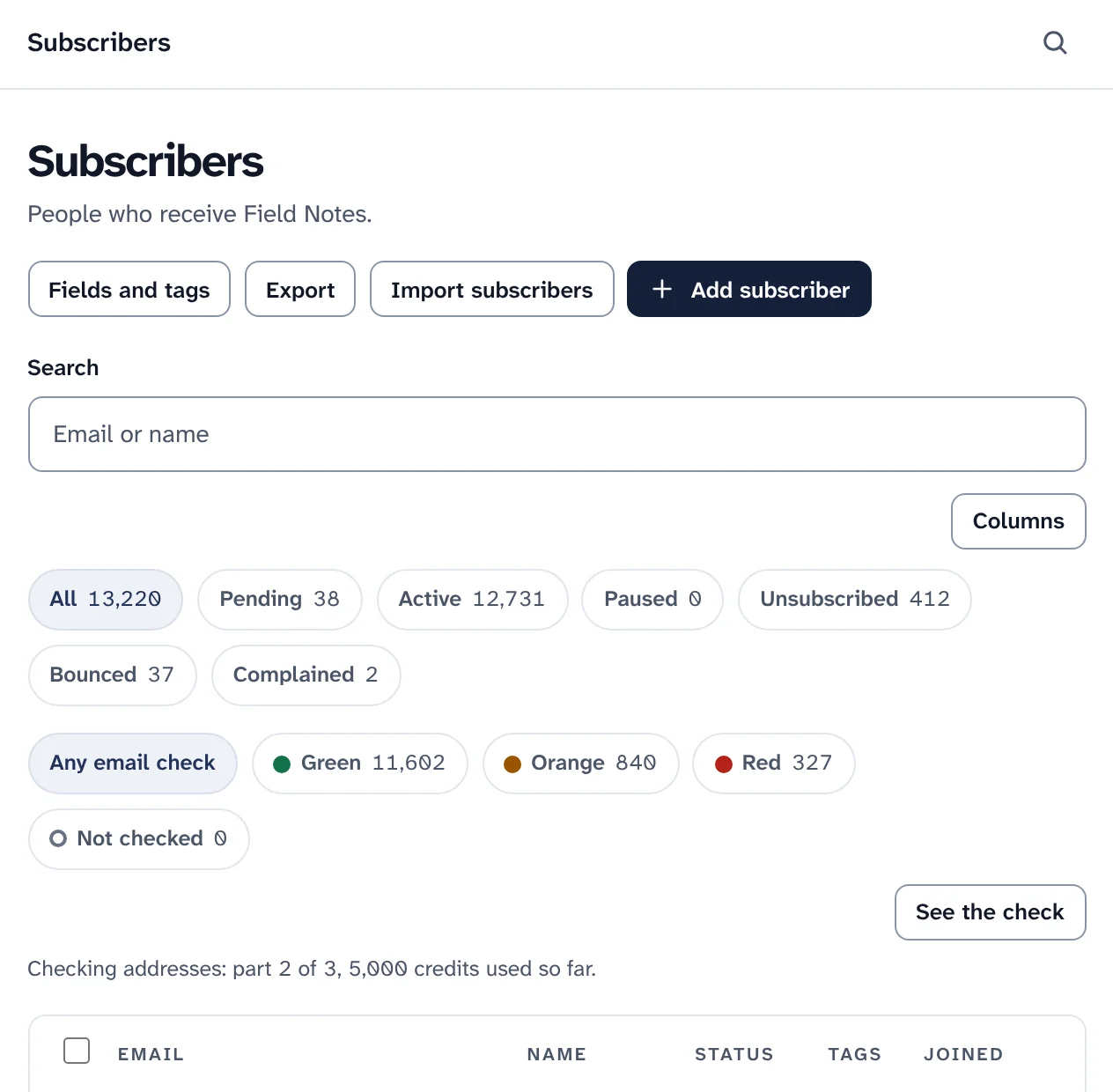
A check of the whole list, part 2 of 3. Sample data. -
Step 6
Read the colour on every address
The Subscribers page shows a small dot next to each address; hover it, or use a screen reader, for its words. Filter by colour, and by reason once a colour is picked. In segments, use Email check is Green, Orange, Red or Not checked.
Swarm's own free checks come first and settle three cases without DeBounce: addresses written wrong (red), well-known throwaway providers (orange) and team addresses (orange). An address checked recently is never checked again.
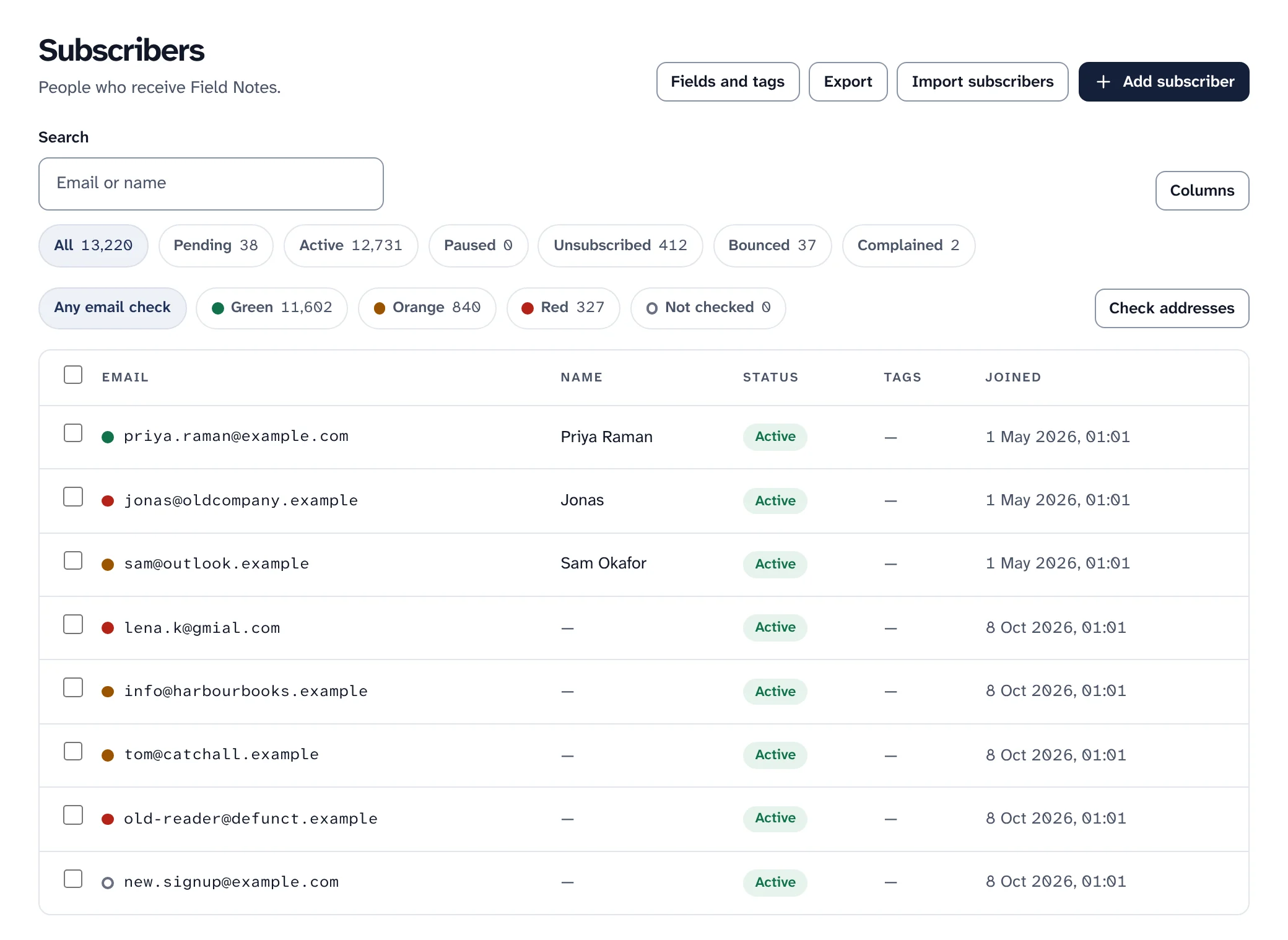
Filters by colour, and a dot beside each address. Sample data. Email check colours and what they mean Colour DeBounce result What it means Green Deliverable The mailbox exists and takes email Orange Can't be confirmed The server accepts every address (accept-all), so this one can't be confirmed Orange Server didn't answer The mail server could not be reached, even after DeBounce tried again Orange Team address An address like info@ or support@ that reaches a team, not one person Orange Temporary address A throwaway mailbox that stops working after a while Red Will bounce The mailbox does not exist Red Not an email address The address is written wrong Red Spam trap An address kept to catch senders who mail people who never asked. Mailing it hurts you -
Step 7
Stop mailing red, keep orange, and never touch paying readers
Red addresses only add bounces. With the Red filter on, choose Stop mailing them (recommended), which blocks each address for this publication and can be undone on the Sending page, or Delete them, which can't. Both show how many subscribers they change and ask first.
- Subscribers with a paid subscription are never changed. They are listed under Needs your attention, to look at one by one: the address may have a typo, or they may pay with another one.
- Orange is often a real person. Make a segment where Email check is Orange, send it a re-engagement automation, and let the inactive-reader cleanup take those who never open.
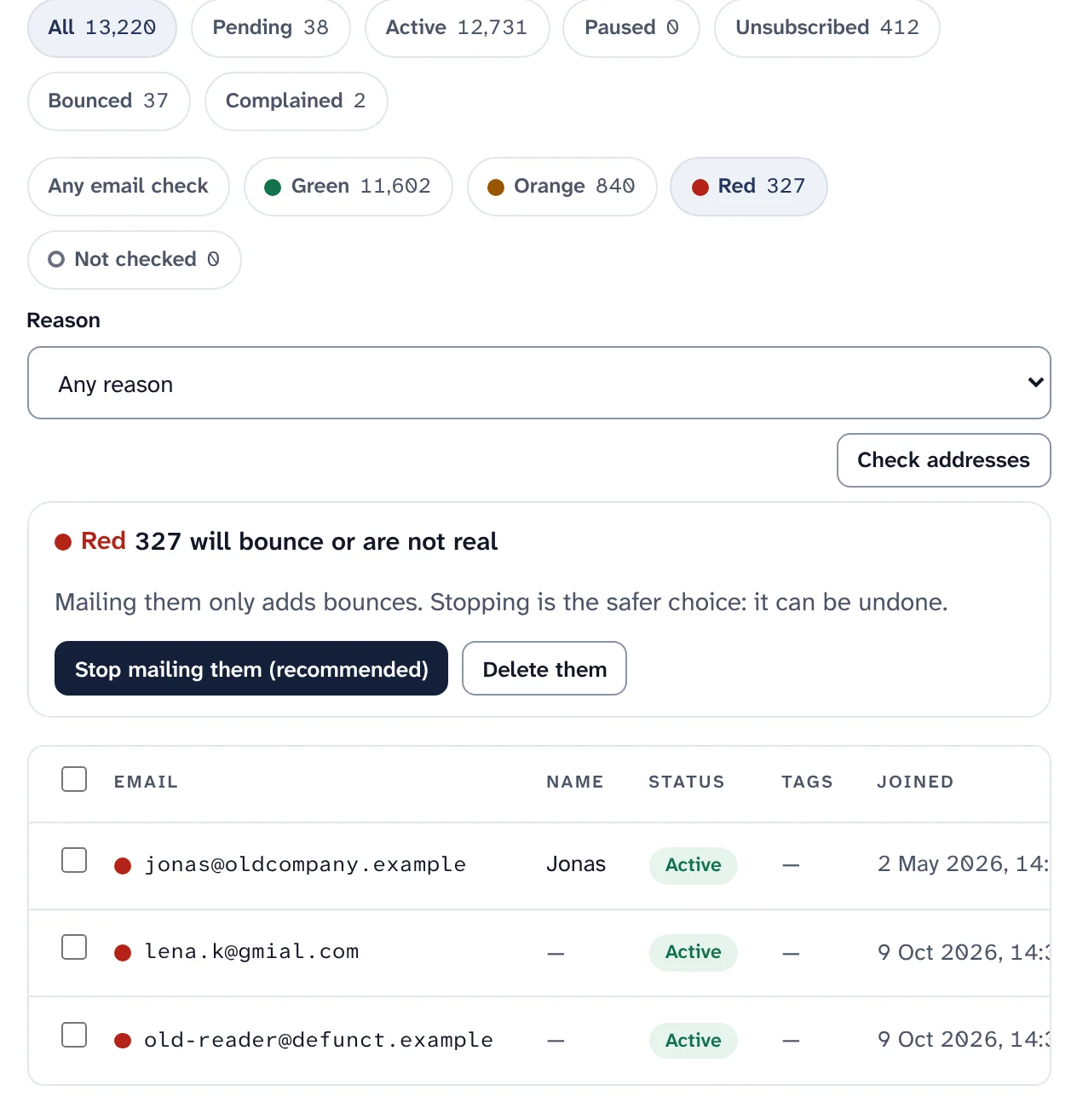
The Red filter, with the two choices. Sample data.
What goes to DeBounce, and what to know
Each address DeBounce checks uses one of your DeBounce credits. Swarm's own checks are free, and the rules for each colour are yours.
- Only the address goes to DeBounce, never names, profile fields or anything else.
- List checks use a short-lived file: DeBounce fetches each part from a random address on your own Swarm that stops working when DeBounce has finished, and after 24 hours at the latest.
- One result per address per workspace is kept. A subscriber's data export includes it, and erasing the address deletes it.
- DeBounce becomes a processor of those addresses: name it in your privacy notice and accept its data processing terms first.
- Off until you add a key: the feature
email_verificationis on after an install and does nothing untilpnpm swarm enable debouncesets the key.
Not yet run with a real results file. DeBounce does not document the columns of its bulk results file, so Swarm finds them by name. It is tested with files shaped like DeBounce's documented single-check fields: check the first bulk results you get.
Keep reading
Fewer bounces, from the first import.
Install Swarm, add your own DeBounce key with one command, and check your list before your first send.
Want to look first? pnpm swarm --dry-run shows every step and changes nothing.